The shift to remote and hybrid work has reshaped the modern workplace, offering flexibility and autonomy. However, it has also introduced a significant challenge: keeping dispersed teams aligned and connected. When employees are not sharing a physical space, the casual conversations, whiteboard sessions, and ambient cultural cues that build unity disappear. This can lead to information silos, a sense of isolation, and a gradual disconnect from the company’s core mission.
This article addresses the unique communication hurdles of managing a distributed workforce. We will explore how a simple, often-overlooked tool—the computer lock screen—can be transformed into a powerful channel for alignment. Discover how to use lock screen messaging to bridge the distance, reinforce goals, and foster a cohesive culture for your remote and hybrid teams.
The Communication Gap in Remote Work
While video calls and chat platforms are essential for collaboration, they often fail to replicate the passive, consistent communication that happens in an office. Remote employees can feel out of the loop, missing the informal updates and cultural reinforcement that happen organically when people are together. This creates several distinct problems.
Difficulty in Maintaining a Unified Culture
Company culture is not just about mission statements; it’s about shared experiences and values lived out daily. For remote workers, the company culture can feel abstract and distant. Without visual cues in a shared office space, like posters, banners, or even coworker conversations, it is difficult to keep the company’s identity and values at the forefront.
Information Overload and Channel Fatigue
To combat the distance, many organizations increase the volume of digital communication. This often results in an avalanche of emails, chat notifications, and virtual meetings. Employees become overwhelmed, leading to “channel fatigue.” They start tuning out messages, and important announcements about goals, deadlines, or company news get lost in the digital noise.
Lack of Visibility for Key Initiatives
How do you ensure your entire team is focused on the same quarterly goals when they are spread across different cities or even countries? Keeping strategic priorities top of mind is a major challenge. An important initiative announced in a virtual town hall can be forgotten by the next day as employees dive back into their individual tasks. There is no central, visible reminder to keep everyone pulling in the same direction.
The Lock Screen: Your Team’s Underutilized Billboard
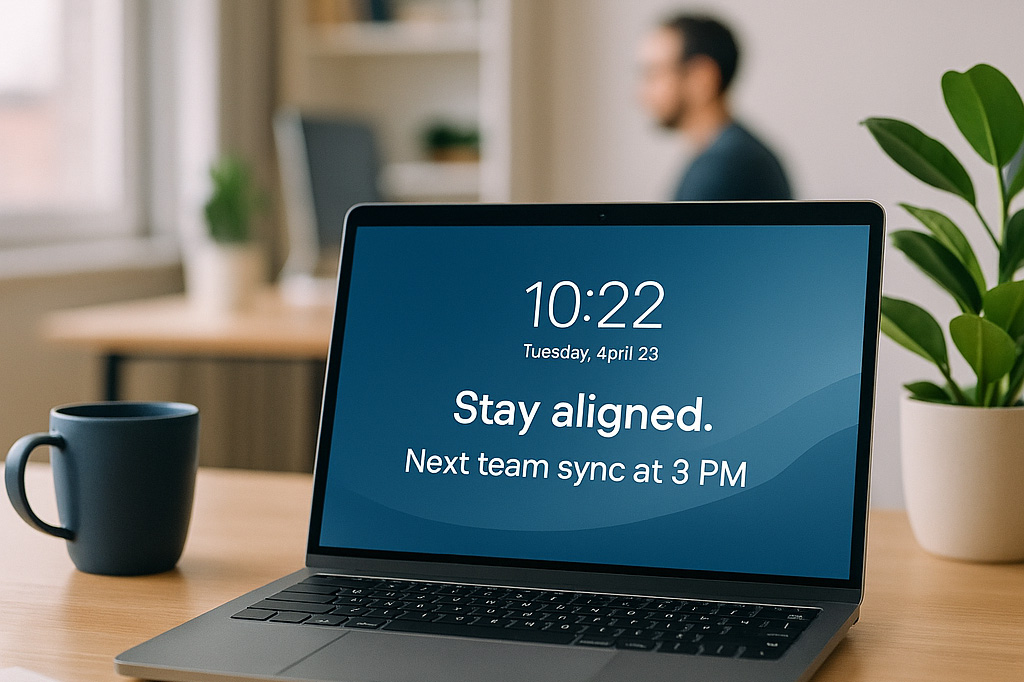
What if you could place a message in a spot where every remote employee is guaranteed to see it multiple times a day? The computer lock screen is one of the most consistently viewed pieces of digital real estate. Employees see it every time they start their workday, return from a break, or unlock their computer after a meeting.
Connected Company transforms this passive screen into a dynamic communication channel. By enabling you to centrally manage and deploy custom images to your team’s lock screens, you gain a direct, non-intrusive line to every employee, regardless of their location. It’s a simple, elegant way to deliver consistent messages that keep your remote workforce aligned and engaged.
3 Ways to Align Remote Teams with Lock Screen Messaging
Lock screen messaging is most effective when used for strategic reinforcement. It is the perfect tool for delivering concise, high-impact messages that support your broader communication goals.
1. Reinforce Strategic Goals and Priorities
Keep your team focused on what matters most by using the lock screen to display key objectives. This constant, subtle reminder helps align daily tasks with the company’s larger mission.
- Display Quarterly Objectives: Are you aiming to increase market share by 10% this quarter? Is the main focus on improving customer retention? Create a simple, visually appealing graphic that states the primary goal and deploy it as the lock screen for relevant teams. This keeps the target in sight every single day.
- Countdown to Major Deadlines: Build momentum and a sense of shared urgency for a product launch or a project deadline. A lock screen that features a countdown—”Only 10 Days Until Project Phoenix Goes Live!”—ensures everyone is aware of the timeline without another “urgent” email.
- Showcase Key Performance Indicators (KPIs): Share progress toward important metrics. A simple graphic showing a rising customer satisfaction score or a chart tracking sales growth can motivate the team and make them feel connected to the company’s success.
2. Foster a Cohesive Company Culture
Bridge the physical distance by using lock screens to make your company culture tangible and visible. This helps remote employees feel like they are part of a community, not just isolated contributors.
- Share Company Values: Feature a “Value of the Week” or “Value of the Month” on the lock screen. A simple design with one of your core values, like “Customer Obsession” or “Innovate and Simplify,” paired with an inspiring image, reinforces the principles that guide your organization.
- Welcome New Hires: Help new remote employees feel like part of the team from day one. Deploy a lock screen to their department that features their photo and a welcoming message, such as, “Welcome to the Team, Alex!” This small gesture fosters immediate connection.
- Highlight Team Successes: When a team achieves a significant milestone, celebrate it visually. A lock screen featuring a screenshot of a positive client email or a celebratory message acknowledges their hard work and makes remote employees feel recognized and appreciated.
3. Communicate Important Updates and Information
Use the lock screen to deliver important, non-urgent information in a way that is impossible to miss. It is an ideal channel for announcements that need to be seen but do not require immediate action.
- Announce Upcoming All-Hands Meetings: Ensure high attendance for important virtual events by promoting them on the lock screen. Include the date, time, and a key topic to pique interest.
- Remind Employees of Key Deadlines: Use the lock screen for gentle reminders about deadlines for things like benefits open enrollment, performance self-assessments, or required training modules.
- Promote Wellness Initiatives: Support your team’s well-being by sharing tips for a healthy remote work life. A lock screen with a message like, “Remember to take a screen break and stretch,” shows that the company cares about its employees’ health.
Bridge the Distance and Build Alignment
Keeping a remote or hybrid team aligned requires a thoughtful and multi-faceted communication strategy. While chat and video calls handle immediate collaboration, they are not enough to build a lasting sense of connection and shared purpose. Lock screen messaging fills a crucial gap, providing a consistent, visible, and non-disruptive way to reinforce what matters most.
By transforming this underutilized digital space into a channel for strategic communication, you can ensure your remote employees stay connected to your goals, your culture, and each other.
Ready to create a more aligned and engaged remote team? Explore how Connected Company can help you leverage the power of lock screen messaging to unify your workforce, no matter where they are.