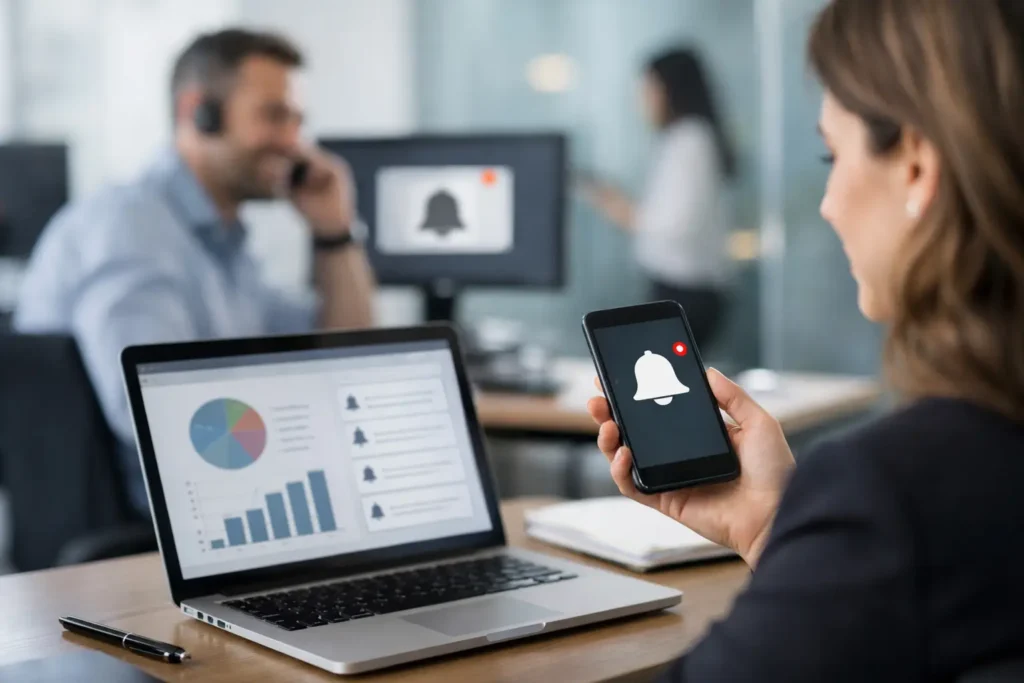
Most internal messages do not fail because the message was bad. They fail because they never reached the right employee at the right moment. A policy update gets buried in email. A shift change is missed in chat. A recognition post is seen by ten people instead of the whole company. An employee notification system exists to fix that gap.
For HR, internal communications, operations, and IT teams, the real question is not whether employees need more information. They usually have too much of it already. The question is which channel consistently gets seen without creating more clutter. That is where a managed notification channel can change the equation.
What an employee notification system actually does
An employee notification system gives your organization a controlled way to publish messages to employees through a channel they are likely to see during the normal workday. That can include instant push notifications, login screens, desktop wallpapers, screensavers, or other screen-based placements that do not depend on employees opening another app.
The difference matters. Email is easy to send but easy to ignore. Chat is fast but quickly buried. Intranet posts are useful for archiving information, but they rely on people choosing to visit. A notification system is designed around visibility first.
That does not mean every message should become an alert. It means the organization gains a reliable delivery layer for communication that cannot afford to disappear into existing noise. Safety reminders, event notices, KPI updates, milestone celebrations, service disruptions, manager messages, and culture content all become easier to distribute when there is a central channel built for reach.
Why traditional channels miss the moment
Most companies already have communication tools. The issue is not a lack of platforms. The issue is overlap, fragmentation, and timing.
A company-wide announcement may be sent by email, repeated in chat, posted to the intranet, and mentioned in a meeting. Even with all that effort, many employees still miss it. Frontline workers may not sit in email all day. Office staff may skim messages while multitasking. Remote teams may work across time zones and log in hours later.
The result is familiar. Communicators send more reminders. Managers forward the same update again. Employees feel overloaded, but key messages still underperform.
An employee notification system addresses that by using a channel built into the employee environment itself. When messages appear on screens employees already use, communication becomes less dependent on behavior change. You are not asking people to check one more tool. You are placing the message where attention already exists.
The best systems focus on control, not just sending
A lot of communication tools promise speed. Speed is useful, but speed without control creates new problems. Teams need to know who can publish, who sees what, when content appears, and how effectiveness is measured.
That is why the strongest employee notification system is usually a centralized one. A single web-based control point allows communicators, HR leaders, operations teams, and approved managers to publish company-wide or team-specific content without losing governance. Brand consistency improves. Urgent messages move faster. Everyday updates stop depending on one overworked admin.
Segmentation is just as important as broadcasting. Some messages need universal reach, such as emergency notices, compliance reminders, or enterprise milestones. Others should stay targeted, such as regional updates, department goals, local events, or IT maintenance windows. If every employee sees every message, relevance drops. If no one can target, noise returns.
This is where trade-offs matter. Highly locked-down systems can become slow to use. Overly open systems can become messy. The right balance depends on your organization, but most teams need centralized governance with simple role-based publishing.
What to look for in an employee notification system
If you are evaluating options, start with adoption reality, not feature volume. A platform only works if communicators can use it easily and employees reliably see the output.
First, consider where messages appear. Desktop and login-screen messaging can be especially effective for office-based and hybrid teams because it meets employees in a habitual environment. Screensavers and wallpapers are useful for persistent visibility. Push notifications are better for time-sensitive updates. A strong system lets you combine those formats based on the message.
Second, look at creation workflow. If publishing requires design support or technical help every time, usage will drop. Teams move faster when familiar tools are part of the process. For many organizations, that means communicators can create polished, branded messages in PowerPoint and deploy them quickly without rebuilding content from scratch.
Third, measure engagement. If you cannot see whether notifications were viewed or read, internal communication stays guesswork. Reporting should help you answer simple operational questions. Did employees see the sales announcement? Did the regional office view the weather closure notice? Did the quarterly goals campaign actually reach people?
Fourth, consider deployment and maintenance. IT teams usually prefer a lightweight endpoint component and a vendor-managed cloud service over another system that needs heavy internal upkeep. Simplicity matters here. The less friction involved in rollout and support, the faster the communication channel becomes useful.
Common use cases that justify the investment
The value of an employee notification system becomes obvious when you map it to daily communication work instead of treating it like a special-purpose alert tool.
A retail organization can publish a big sale announcement to every store computer before opening. A manufacturing company can display safety reminders and production KPIs on employee desktops at shift start. An HR team can promote benefits deadlines, wellness initiatives, and employee recognition without hoping people read long email threads. An IT department can push planned maintenance notices directly to the people affected.
There is also a culture case, not just an operational one. Recognition messages, new hire welcomes, anniversary milestones, and event reminders are often treated as secondary because urgent updates take over other channels. Yet these messages shape alignment and morale. A visible employee-facing channel gives them a place to live without competing with inbox triage.
That blend matters. People need to know what is happening, but they also need to feel connected to the organization behind the message.
A practical workflow: create, share, communicate
The most effective rollout is usually simple.
Create content using a format your team already knows. That lowers training time and helps non-designers move quickly. Share the content through a centralized system that controls timing, audience, and placement. Then communicate through multiple screen moments, such as login, idle time, or immediate push delivery, based on urgency.
This approach works because it respects how workplaces actually operate. Not every message deserves the same treatment. An emergency notice should interrupt. A KPI update can rotate on screens throughout the day. A company picnic announcement may be better as recurring visual reinforcement over a week.
That is the practical advantage of a well-designed employee notification system. It supports different communication jobs without forcing every message into the same format.
Where this fits in your broader communications stack
An employee notification system should not replace every other internal channel. It should strengthen the stack by covering the visibility gap.
Email still works for detail and documentation. Chat still works for collaboration. Intranet pages still work for deeper reference. Meetings still matter for discussion and context. But when you need broad visibility, timely awareness, and repeat exposure, screen-based notification channels often outperform the tools built for conversation or storage.
That is an important distinction for buyers. You are not adding another communication destination. You are adding a managed attention channel.
For organizations that want immediate alignment without increasing communication fatigue, that difference is substantial. ConnectedCompany is built around that idea: centralized control, familiar content creation, visible delivery on employee screens, and reporting that shows whether messages were actually seen.
The real test is whether employees notice
A system can have every feature on the checklist and still fall short if employees tune it out. Relevance, frequency, and placement all matter. Too many interruptions create resistance. Too little visibility makes the channel forgettable. Good internal communication is not about sending more. It is about making the right message hard to miss.
That is why the best approach is disciplined, not flashy. Start with messages that already deserve stronger reach. Announcements that affect schedules, performance, recognition, deadlines, or daily priorities are usually the right place to begin. When employees consistently see useful updates in the flow of work, trust in the channel grows.
And once that trust exists, communication gets easier. Managers repeat less. HR gets fewer missed-deadline complaints. Operations teams spend less time chasing awareness. Employees stay informed without hunting for information.
If your current channels are doing a lot of sending but not enough reaching, that is usually the signal. The problem is not effort. It is visibility. Fix that first, and the rest of your communication strategy gets sharper fast.