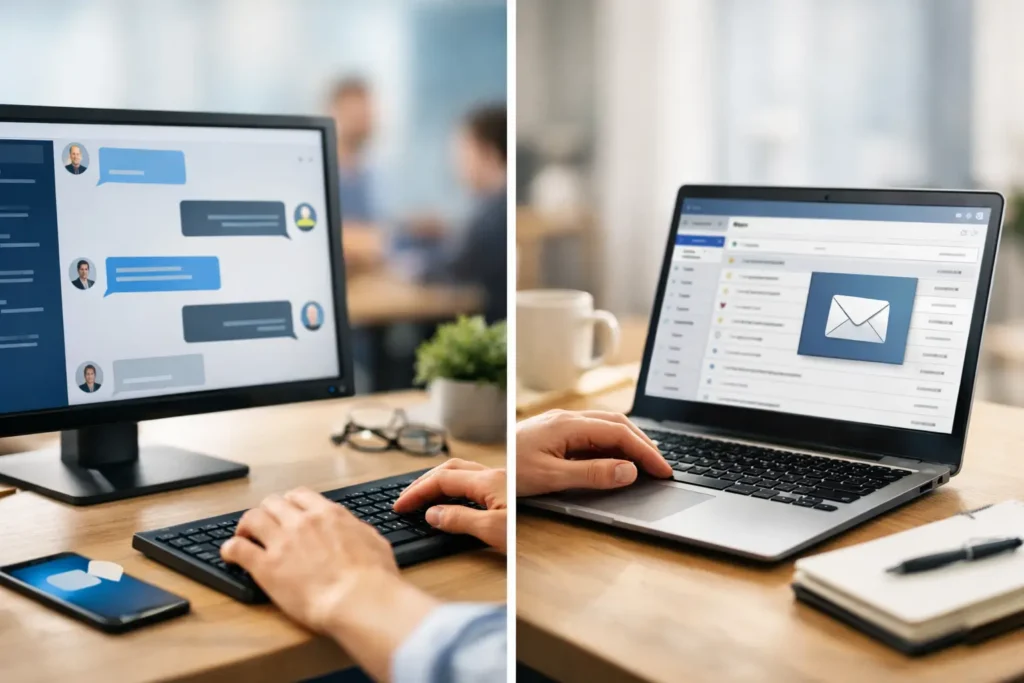
Monday at 9:12 a.m., the all-staff email goes out. By 10:00, half the company is already buried in inbox traffic, a quarter are in meetings, and frontline teams may not see it until hours later. That is the real issue behind desktop messaging vs email – not which tool is newer, but which one actually gets seen, understood, and acted on.
For internal communicators, HR leaders, operations teams, and IT admins, this is not a theoretical channel debate. It affects how quickly policy updates land, how reliably KPI progress gets reinforced, and whether culture messages reach employees outside the small window when they happen to check email. If the goal is organizational alignment, the right answer is rarely email alone.
Desktop messaging vs email: what changes in practice
Email is still useful. It handles detail well, creates a record, and supports one-to-one or one-to-many communication without much setup. If you need to share a benefits packet, a manager memo, or a meeting recap with attachments, email remains a practical choice.
But internal communication often fails because the message was delivered, not received. Email measures sending very well. It is less reliable at commanding attention. Open rates only tell part of the story, and even opened messages may be skimmed, ignored, or lost among newsletters, approvals, and system notifications.
Desktop messaging works differently. Instead of waiting for employees to visit a crowded inbox, it places communication on the screen they already use throughout the day – at login, on wallpapers, in screensavers, and through direct notifications. That changes reach. It also changes timing. Messages can appear when employees start work, step away from their desk, or need an immediate alert.
This is the practical divide in desktop messaging vs email. Email asks for attention. Desktop messaging claims a moment of attention.
Where email still does the job well
Email should not be treated as obsolete. It is strong when the message needs depth, documentation, or a direct reply path. Policy explanations, benefits enrollment details, onboarding documents, and manager follow-ups often belong in email because employees may need to search, forward, or reference them later.
It also fits audiences who are already trained to work from their inbox. Office-based teams, project managers, finance staff, and executives often use email as their operating system for the day. In those cases, removing email from the mix would create friction rather than solve it.
The problem starts when email becomes the default for everything. A company picnic notice, a sales milestone celebration, a beta testing update, a security reminder, a location-specific event, and a leadership announcement all compete in the same stream. Important messages do not just need to be sent. They need channel priority.
Where desktop messaging outperforms email
Desktop messaging is strongest when visibility matters more than depth. If leadership wants every employee to see this quarter’s goal, if HR needs broad awareness for an upcoming event, or if operations must push an urgent notice across departments fast, screen-based communication has a clear advantage.
It also helps solve a familiar problem: uneven reach across schedules and roles. Not every employee checks email consistently. Some live in ticketing systems, production dashboards, point-of-sale tools, or shift workflows. Yet they still log into their computer, see their desktop, and encounter idle screens. That gives communicators more reliable moments to place high-priority content.
Another advantage is repetition without extra effort from the employee. An email can be missed once and disappear down the stack. A desktop message can reinforce the same update over time using branded visuals, scheduled content, and recurring visibility. That matters for behavior change, culture building, and KPI reinforcement, where a single send is rarely enough.
The real trade-off: depth vs attention
Most organizations do not need to choose one channel forever. They need to match the message to the behavior they want.
If you want someone to read detailed instructions, email is usually better. If you want them to notice a deadline, remember a value statement, celebrate a team win, or act on an urgent update, desktop messaging is often the better first move.
That is why desktop messaging vs email is really a question of communication design. Are you trying to store information, or are you trying to create awareness? Are you documenting, or are you directing attention? Those are different jobs.
Internal teams often overload email because it is familiar and easy to send. But easy to send is not the same as effective to receive. A channel should be judged by what employees actually absorb.
Desktop messaging vs email for common workplace scenarios
Consider a few common cases. A company-wide recognition moment does not need a long email. It needs visibility, energy, and repeated exposure so people actually see who is being celebrated. Desktop messaging handles that well.
A reminder about open enrollment is different. The first job is broad awareness, which fits desktop messaging. The second job is detail, which fits email. Together, they work better than either one alone.
Urgent communications show the gap even more clearly. If a weather closure, safety issue, or system outage needs immediate attention, waiting for inbox behavior is risky. A push notification or on-screen alert can cut through faster because it is delivered in the work environment itself.
For routine manager communication, the answer depends on scope. Team-specific updates, rotating KPIs, and local event notices often benefit from targeted desktop messages, especially when relevance can be segmented by department or location. Long explanations and discussion threads still belong in email.
What communicators and IT teams should evaluate
For communication leaders, the first question is not feature count. It is control. Can you centralize message governance while still targeting by team, office, or role? Can non-designers create content quickly without waiting on creative resources? Can urgent updates go live in minutes, not days?
For IT, the concerns are just as practical. Is deployment lightweight? Is the system cloud-hosted and centrally managed? Can it fit into endpoint management standards without creating another platform headache? Internal communications tools succeed faster when communicators can publish easily and IT can support them without ongoing complexity.
Measurement also matters. Email gives partial data. A stronger desktop messaging system can show who saw what, who read notifications, and how often key content was displayed. That changes the conversation from “we sent it” to “we know it reached people.” For organizations under pressure to prove communication effectiveness, that is a meaningful shift.
Why desktop messaging often fits modern internal communication better
Internal communication has changed. Employees already deal with inbox overload, chat fatigue, and fragmented tools. Adding another message to email often adds to the problem rather than solving it.
Desktop messaging succeeds because it uses existing employee behavior. People log in. People see their desktops. People notice screensavers and notifications when they pause between tasks. This is a simple control system for message reach, not another place employees must remember to check.
That simplicity is what makes it operationally attractive. Content can be created in familiar formats, scheduled centrally, targeted where needed, and measured afterward. For busy teams trying to keep staff informed and aligned, that is a more dependable workflow than hoping another all-staff email rises above the noise.
ConnectedCompany is built around that exact reality: use the employee desktop as a managed communication channel so updates, recognition, KPIs, and notices are seen where work already happens.
The smart answer is not either-or
If your organization is comparing desktop messaging vs email as if only one can survive, the framing is too narrow. Email remains a necessary channel for detail, follow-up, and recordkeeping. Desktop messaging adds the missing layer of visibility, timing, and reinforcement.
The better model is simple. Use desktop messaging to drive awareness and reach. Use email when employees need the full explanation, attachments, or a searchable record. That combination respects how people actually work.
When communication matters, the question is not whether a message was sent. It is whether it changed what employees saw, understood, and remembered. Start there, and the right channel becomes much easier to choose.