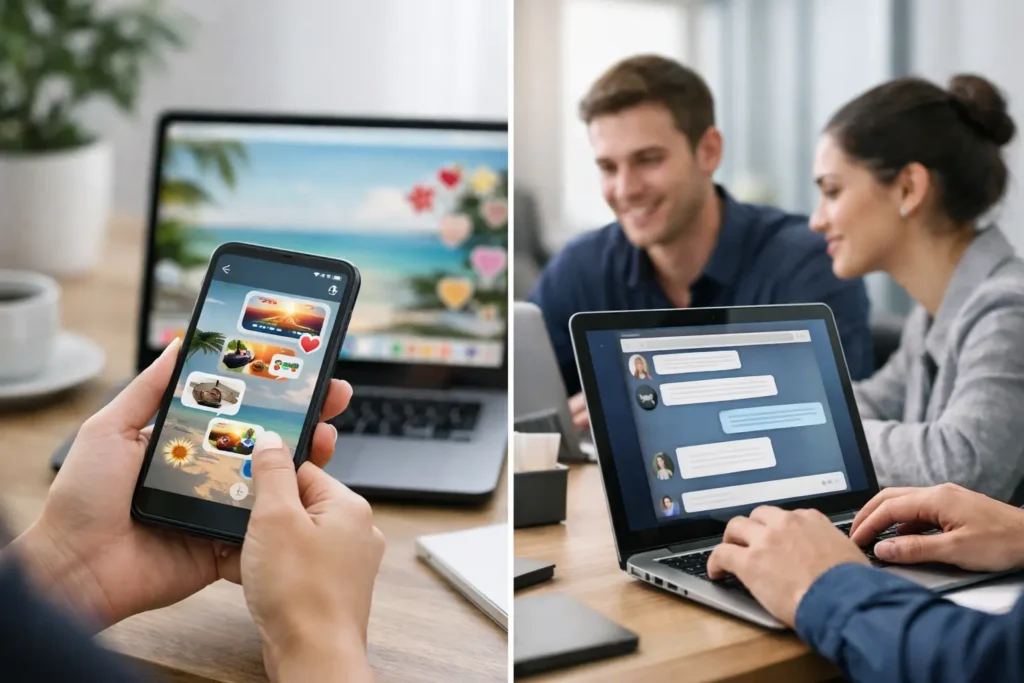
Your employees probably ignore more chat messages than anyone wants to admit. A channel that felt fast and useful at launch often turns into a running stream of pings, side conversations, reaction emojis, and updates that vanish by lunchtime. That is where wallpaper messaging vs chat becomes a practical decision, not a theoretical one. If your goal is to get key information seen across teams, locations, and schedules, the real question is not which channel is newer or louder. It is which channel fits the message.
Wallpaper messaging vs chat: what changes in practice
Chat is built for conversation. Wallpaper messaging is built for visibility. That sounds simple, but it changes how each channel performs inside a real organization.
Chat works well when people need to ask questions, coordinate in the moment, or solve a problem together. A project team discussing a release issue, a manager confirming a schedule change, or HR answering a policy question all fit the strengths of chat. The exchange is immediate, flexible, and interactive.
Wallpaper messaging does a different job. It places communication directly on employee screens through desktop wallpapers, login screens, screensavers, or push notices. Instead of asking employees to open another app and sort through noise, it puts the message where they are already looking. That makes it especially effective for company-wide updates, reminders, KPI visibility, event promotion, recognition, safety notices, and culture messaging.
For internal communications leaders, HR, operations, and IT, the distinction matters because missed messages create operational drag. If a benefits deadline gets buried in chat, employees miss it. If a milestone announcement disappears under active project threads, momentum gets lost. If KPI goals are posted once and then pushed out of view, alignment slips.
Why chat struggles with high-reach internal communications
Chat platforms are useful, but they are not neutral. They shape behavior. Most employees open chat expecting discussion, requests, and short-lived updates. That expectation works against messages that need broad reach and repeated visibility.
The first issue is volume. In busy organizations, chat is crowded by design. Team channels, direct messages, urgent requests, social chatter, and automated alerts all compete in the same environment. Even important announcements can look temporary because the next message arrives within seconds.
The second issue is timing. Chat favors people who are online at the right moment. If employees are in meetings, on the floor, heads-down on work, or offline during the initial post, the message can lose visibility fast. Yes, they can scroll back. In practice, many do not.
The third issue is message lifespan. A good internal message often needs repetition. A safety reminder, quarterly goal, employee recognition campaign, or training notice should stay visible long enough to shape behavior. Chat rarely supports that well without repeated reposting, which can create even more fatigue.
That is the trade-off. Chat gives speed and interaction, but not necessarily sustained attention.
Where wallpaper messaging has the advantage
Wallpaper messaging is not trying to replace conversation. It is designed to solve a different communications problem: how to make essential messages consistently visible with low effort.
When a message appears on desktop backgrounds, screensavers, login screens, or controlled notifications, it reaches employees passively but repeatedly. That repeated exposure matters. People absorb reminders, event dates, key metrics, values, and announcements because the information stays present instead of dropping into a feed.
This makes wallpaper messaging especially strong in a few common workplace scenarios. If leadership wants to reinforce a quarterly target, the number can stay on screen all week. If HR is driving open enrollment, the deadline can be visible every day until action is taken. If operations needs everyone aware of a policy change, the message can appear company-wide or only to the affected group.
There is also a governance advantage. Wallpaper messaging is centrally managed. Communicators and managers can control branding, timing, audience targeting, and message rotation from one place rather than relying on multiple channel owners to repost correctly. For organizations trying to standardize communication without slowing it down, that control is not a small detail. It is the system.
Wallpaper messaging vs chat for different message types
The best channel depends on what you are trying to achieve.
If the message requires discussion, chat usually wins. Team problem-solving, project coordination, manager check-ins, and quick clarifications belong in a conversational space. Employees need to respond, ask, and adapt in real time.
If the message requires awareness, wallpaper messaging often wins. Company picnic notices, sales wins, town hall reminders, beta testing updates, onboarding prompts, recognition campaigns, and KPI tracking all benefit from repeated visibility more than threaded conversation. The message does not need twenty replies. It needs to be seen.
Some communication needs both. A policy rollout is a good example. Wallpaper messaging can drive top-line awareness with a clear deadline and action prompt. Chat can then support follow-up questions inside team or HR channels. In that setup, each tool does the job it is best at.
That is usually the most efficient model. Use wallpaper messaging for reach and reinforcement. Use chat for conversation and exception handling.
The operational case for using both without creating more noise
Many organizations do not have a messaging shortage. They have a channel discipline problem. Every tool gets used for everything, and employees start filtering all of it.
The answer is not to abandon chat. It is to stop asking chat to carry every communications objective.
A more controlled approach starts by classifying messages. Urgent and conversational updates can stay in chat. High-importance, broad-audience, non-conversational communication should move to desktop-based channels where visibility is stronger. Recurring culture and recognition content can also live there because repetition is a feature, not a flaw.
This reduces pressure on chat and improves message quality across the board. Employees get fewer repetitive announcement posts in channels meant for work discussions. Communicators gain a dedicated surface for high-visibility content. IT gets a managed approach rather than a sprawl of unofficial posting habits.
For teams concerned about effort, this model can be simpler than it sounds. If content can be created in a familiar workflow such as PowerPoint and published centrally, non-designers can move quickly while still keeping formats and branding consistent. That lowers the barrier to actually using the channel well.
What decision-makers should evaluate
If you are comparing wallpaper messaging vs chat, focus less on features in isolation and more on communication outcomes.
Ask how often critical messages are missed today. Look at whether employees actually see updates beyond the first posting window. Consider whether your organization can target content by department, location, or role without creating separate manual processes. Think about whether message performance is measurable or whether you are relying on assumptions.
This is where desktop messaging earns attention. It turns the employee screen into a managed communications surface with accountability. Instead of hoping an announcement was noticed, you can build a system around visibility, consistency, and measurable engagement.
There are limits, and they should be stated clearly. Wallpaper messaging is not ideal for nuanced back-and-forth discussion. It is not a replacement for manager communication, intranet resources, or team collaboration spaces. But that is not a weakness. It is what makes the channel clear and effective. It handles the top layer of awareness so your other channels can do their jobs better.
ConnectedCompany is built around that idea: central control, familiar content creation, and a workplace channel employees naturally see throughout the day.
The better question than wallpaper messaging vs chat
Most organizations frame this choice too narrowly. They ask which channel is better. A better question is which channel gives each message the best chance to work.
If you need dialogue, use chat. If you need reach, visibility, and reinforcement, put the message on the screen itself. When those roles are clear, communication gets easier to manage and harder to miss.
That clarity matters more than adding another app or sending one more reminder. The strongest internal communication systems are not the loudest. They are the ones that put the right message in the right place, often enough to move people to action.