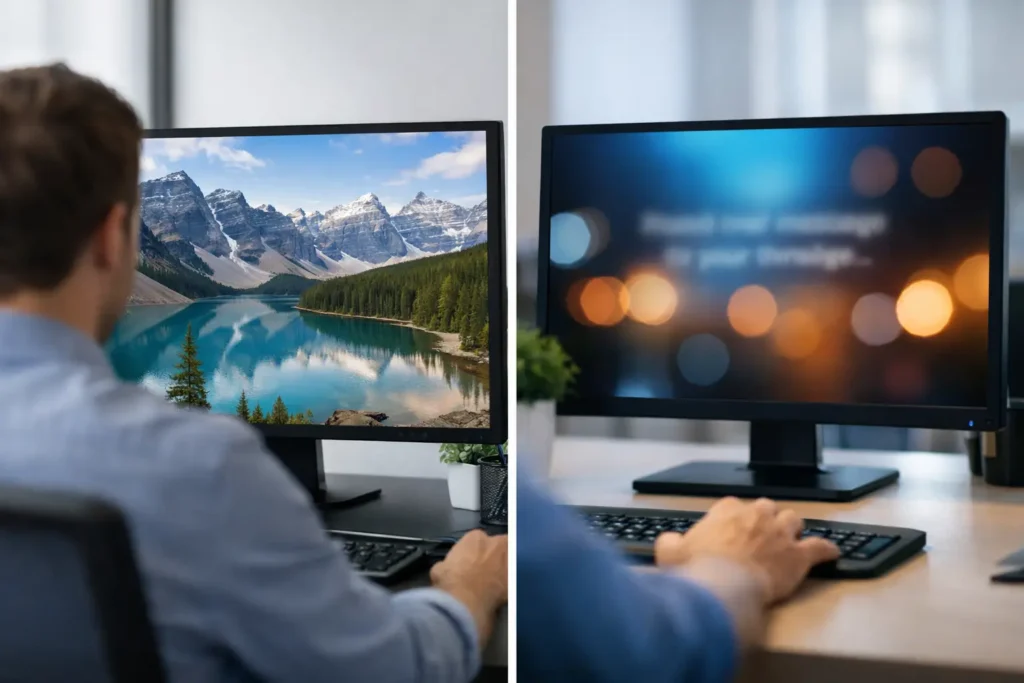
At 9:07 a.m., your company-wide email about open enrollment is already buried under meeting invites, approval requests, and chat pings. That is where employee wallpaper management vs screensaver messaging becomes a practical decision, not a cosmetic one. If you want employees to actually see updates, the desktop itself can do the job – but wallpaper and screensaver communication work in very different ways.
For internal communications, HR, operations, and IT teams, the question is not which one looks better. The real question is which channel gives you the right mix of reach, timing, control, and relevance without adding work. In many organizations, the answer is not either-or. It is knowing what each format does best, then managing both from one controlled system.
Employee wallpaper management vs screensaver messaging: what changes in practice
Wallpaper management puts your message in front of employees while they are actively working. It lives behind the apps, browser tabs, and documents that fill the day. That means wallpaper is less interruptive, but also less demanding. It works best for messages that benefit from repeated exposure over time – values, reminders, event promotions, safety themes, recognition, and simple KPI visibility.
Screensaver messaging appears when the device becomes idle. That changes the context completely. Now the screen is not background branding. It becomes a dedicated communications surface with fewer competing elements. If an employee steps away from their desk, a well-designed screensaver can display a campaign message, a deadline reminder, a culture story, or even rotating updates with stronger visual impact.
The trade-off is simple. Wallpapers are persistent but passive. Screensavers are more visible when triggered, but they depend on idle time. If your workforce rarely leaves devices idle, screensavers may have less reach than expected. If employees are often on calls, away from their desks, or working in shared spaces, screensavers can become one of the most underused communication assets in the organization.
When employee wallpaper management works better
Wallpaper management is strongest when consistency matters more than moment-to-moment urgency. It creates a stable channel across departments, locations, and work schedules. For companies trying to reinforce priorities without sending another message into crowded inboxes, that matters.
Think about the messages employees do not need to click, reply to, or remember in one sitting. A big sale announcement for the month, a reminder about manager training, a goal celebration for the quarter, or a notice about the company picnic all fit naturally on wallpapers. The message stays visible throughout the day, even if employees only notice it in short bursts between tasks.
This is especially useful for decentralized organizations. Not everyone checks the same intranet page. Not everyone reads long internal emails. But nearly everyone sees their desktop. That makes wallpaper management a strong baseline channel for broad alignment.
It also helps when brand consistency matters. A centrally managed wallpaper system keeps colors, layout, and messaging under control while still allowing targeted variations by team or location. Communications leads get governance. Managers get relevance. IT gets fewer one-off requests.
When screensaver messaging delivers more impact
Screensaver messaging earns its value when you need a more focused moment of attention. The employee is not actively typing or switching windows. The screen is available. That makes screensavers better suited to campaign-style communication and richer storytelling.
For example, if HR wants to promote benefits enrollment over a two-week period, a screensaver can rotate key actions and deadline reminders. If leadership wants to reinforce a safety initiative, a screensaver can present the message in a cleaner and more prominent way than a wallpaper ever could. If operations wants to celebrate a team milestone, the screensaver can turn idle screens into a visible recognition channel.
This becomes even more useful in shared environments. In offices, back-of-house settings, front desks, and common work areas, idle screens are often visible to more than one person. One employee computer can influence multiple viewers. That expands reach without requiring additional hardware or a separate signage network.
Still, screensavers are not ideal for every message. If the content must be seen at a specific time by everyone, relying only on device idle patterns is risky. Screensavers are best treated as a high-visibility reinforcement layer, not your only path for urgent communication.
The real decision is timing, not design
A lot of teams frame this choice as a creative question. Should we use a static branded wallpaper or a more dynamic screensaver? That misses the operational issue.
The better question is when you need the message to be seen.
If the goal is ambient repetition, wallpaper usually wins. If the goal is focused visibility during idle moments, screensaver messaging has the edge. If the goal is maximum coverage across the workday, combining both is often the smartest move.
That is where centralized control becomes critical. Without it, desktop communications turn into a patchwork of outdated images, inconsistent sizing, local workarounds, and no way to measure what happened. With it, you can assign the right content to the right format, publish quickly, and maintain order across the entire device estate.
How to choose by use case
The easiest way to evaluate employee wallpaper management vs screensaver messaging is to map each one to the job it needs to do.
For steady reinforcement, wallpapers are usually the better fit. Company values, recognition, monthly priorities, wellness reminders, and broad campaign themes benefit from being present all day without interrupting work. Employees absorb them over time.
For stronger visual campaigns, screensavers often perform better. Open enrollment, major event promotion, policy reminders, seasonal initiatives, and rotating leadership messages all gain from a dedicated screen state. The content can be more prominent because it is not competing with active work.
For segmented messaging, either can work if your platform supports targeting. A sales team may need end-of-quarter goals on wallpaper, while warehouse supervisors may see a different safety message on screensaver. Relevance matters as much as format.
For urgent updates, neither should stand alone unless you can also push immediate desktop notifications. Wallpaper and screensaver channels are strong for visibility, but urgency needs a direct prompt. The best systems treat the desktop as a coordinated communications environment, not a single-format tool.
What IT and communicators should look for
From an IT perspective, desktop messaging only scales if deployment and control are straightforward. A cloud-hosted service with a lightweight app is easier to maintain than a custom patchwork. Central management matters because desktop channels lose credibility fast when content is outdated or broken on different screen sizes.
From a communications perspective, the biggest advantage is workflow. If creating content requires design software, ticket queues, or too many handoffs, adoption drops. Familiar creation methods speed everything up. That is why PowerPoint-based workflows are so practical for many teams. Communicators can build branded content quickly, publish it centrally, and keep campaigns moving without waiting on specialists.
Measurement also matters. If you cannot track views, reads, or campaign performance, desktop messaging becomes another assumption-driven channel. Internal communications leaders increasingly need evidence that employees had the opportunity to see the message. Accountability changes the conversation from “we sent it” to “we know it was displayed.”
Why many organizations should use both
In most cases, wallpaper and screensaver messaging are not competing channels. They are complementary layers.
Wallpaper keeps the message in circulation during active work. Screensaver gives that message a stronger stage when the device goes idle. Together, they create repetition without relying on employees to open an app, read an email, or visit an intranet page.
That layered approach is especially effective for campaigns with a clear timeline. A wallpaper can promote an upcoming initiative across the full workday, while the screensaver reinforces key details during idle periods. Add a targeted push notification for the final deadline, and the desktop becomes a controlled communication system instead of wasted screen space.
ConnectedCompany is built around exactly that logic: create, share, communicate from one place, with the desktop used as a managed channel rather than an afterthought. For teams trying to reduce noise and increase message reach, that kind of control is what turns visibility into alignment.
The best choice is the one that matches how your people actually work. If your employees spend long stretches active at their devices, start with wallpaper. If idle screens are common and visible, prioritize screensaver messaging. If you need reach, reinforcement, and consistency across the day, use both with clear rules for what belongs where. The desktop is already in front of your workforce. Put it to work.