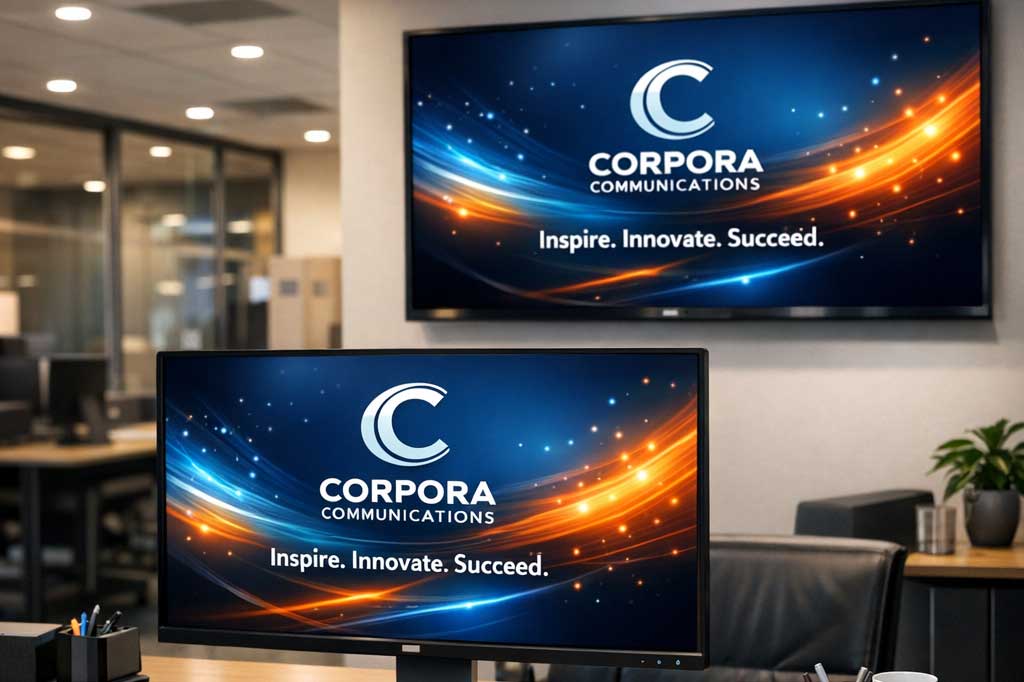
In the quest for effective internal communication, companies often overlook a powerful tool that is right in front of every employee: the computer screensaver. This article is for internal communications professionals, HR managers, and IT administrators looking to improve employee engagement and communication. If you’re searching for corporate screensaver examples, you’re in the right place—this guide provides practical ideas and real-world applications to help you get started.
A corporate screensaver is a tool that turns idle screens into branding tools by displaying company values, mission statements, and employee milestones. By leveraging corporate screensaver examples such as spotlighting team members, showcasing live KPI dashboards, promoting health/safety initiatives, and displaying inspirational quotes, organizations can deliver key messages in a visually engaging way. Effective use of screensavers can significantly boost employee engagement, reinforce company culture, and ensure important communications are seen and remembered, leading to better communication outcomes and a more connected workforce.
What Content Goes Into Corporate Screensavers?
Corporate screensavers typically include a variety of content designed to inform, motivate, and engage employees. Here are some common and effective corporate screensaver examples:
| Example Type | Description |
|---|---|
| Spotlighting Team Members | Featuring employee achievements, new hires, or “Employee of the Month” |
| Live KPI Dashboards | Displaying real-time performance metrics and progress toward goals |
| Health/Safety Initiatives | Promoting wellness tips, safety reminders, and upcoming health events |
| Inspirational Quotes | Sharing motivational messages and company values |
| Employee Recognition Spotlights | Highlighting individual or team accomplishments |
| Interactive Polls | Engaging employees with quick surveys or feedback requests |
| Countdowns to Events | Building anticipation for company events, deadlines, or launches |
| Motivational Updates | Sharing progress, milestones, and positive company news |
These examples demonstrate how screensavers can be used as dynamic communication assets that go beyond idle displays.
Why Use Screensavers for Communication?
Before diving into the creative uses, it’s important to understand why screensavers are so effective. Unlike an email that can be deleted or a memo that goes unread, a screensaver is unavoidable. It appears during moments of inactivity—breaks, meetings, or at the start and end of the day—transforming idle computer screens into a valuable communication tool for delivering targeted corporate messages.
This passive visibility makes it a perfect channel for reinforcing messages without disrupting workflow. It captures attention and maintains employee attention by remaining active and engaging for users even when computers are not in use, through visually appealing graphics and concise text, making information more memorable and impactful than a block of text in an email.
1. Share Company News and Updates
Keeping a large team aligned requires constant and consistent communication. Screensavers can serve as a company-wide digital billboard, and as part of internal communications, they are an effective communication tool for delivering key messages and important information to all employees, especially when used within well-planned internal communication campaigns. This method bypasses cluttered inboxes and makes updates impossible to miss.
Announce Business Wins
- Share news about a major contract win, a successful product launch, or positive quarterly results.
- Use compelling images alongside text to make the announcement more visually engaging and capture employees’ attention.
Introduce New Hires
- Feature a photo and a brief, welcoming bio for new team members.
- Help integrate new employees more quickly and foster a sense of community across departments.
Display Key Metrics
- Showcase progress toward company-wide goals with simple charts or infographics.
- Display a dashboard tracking customer satisfaction scores or production targets to keep the team focused on what matters.
2. Celebrate Employee Achievements
Recognizing employees for their hard work is crucial for morale and retention. Publicly celebrating achievements validates their contributions and inspires others. Recognizing achievements that positively impact customers can reinforce desired behavior and serve as passive reminders for the rest of the team, encouraging ongoing excellence and alignment with company values. Screensavers provide a highly visible platform for shout-outs and acknowledgments that the entire organization can see.
Spotlight “Employee of the Month”
- Dedicate a screensaver to your employee of the month, complete with their photo and a summary of their accomplishments.
- This form of recognition is more dynamic and visible than a mention in a newsletter.
Recognize Milestones
- Celebrate work anniversaries, promotions, or professional certifications.
- A simple “Congratulations to Sarah on 5 Years with the Company!” makes employees feel valued and appreciated.
Highlight Team Success
- Showcase a team that has successfully completed a challenging project.
- Include a group photo and a brief description of their achievement to foster teamwork and collaborative spirit.
3. Promote Wellness Initiatives
Corporate wellness programs are more effective when they are consistently promoted. Use screensavers to keep health and well-being at the forefront of your employees’ minds, while also providing resources and a range of wellness topics through engaging visuals. The visual nature of screensavers is ideal for conveying wellness messages in a positive and encouraging way and aligns with broader future trends in corporate communication that emphasize visual, ambient messaging.
Share Health Tips
- Display simple wellness tips, such as reminders to stretch, stay hydrated, or take screen breaks.
- These gentle nudges can contribute to a healthier work environment.
Promote Wellness Events
- Announce upcoming wellness workshops, fitness challenges, or mental health seminars.
- Use a countdown to build anticipation and drive participation.
Encourage Work-Life Balance
- Use calming imagery and messages that encourage employees to disconnect after work hours.
- Reinforce the company’s commitment to preventing burnout and supporting a healthy balance.
4. Reinforce Company Values and Culture
A strong company culture is built on shared values and a common mission. Screensavers are an excellent tool for embedding these core principles into the daily consciousness of your team. Reinforcing values in the workplace and office environment helps increase knowledge and engage employees by making key messages visible, memorable, and actionable. Consistent, subtle reinforcement helps align employee behavior with organizational goals, especially when combined with custom wallpapers and lock screen images that extend your visual identity beyond screensavers.
Value of the Week
- Feature one of your company’s core values each week or month.
- Include a brief explanation of what that value means in practice, perhaps with a quote from a team leader.
Display the Mission Statement
- Use beautifully designed screensavers to display your company’s mission and vision.
- Keep the organization’s purpose top of mind for everyone.
Showcase Culture in Action
- Use photos from company events, team-building activities, or volunteer days.
- Visually demonstrate your company culture and make employees feel more connected to the organization.
5. Announce Upcoming Events and Deadlines
Ensure high turnouts for events and timely completion of important tasks by using screensavers as your official announcement channel. This visual reminder system acts as a tool to contact employees directly with timely reminders about upcoming events and critical deadlines, overcoming the challenges of reaching staff through traditional email methods.
Event Promotion
- Build excitement for the annual company picnic, holiday party, or all-hands meeting.
- Include the date, time, and a QR code for easy registration.
Important Deadlines
- Remind employees about critical deadlines, such as open enrollment for benefits, performance review submissions, or compliance training completion.
IT System Downtime
- Provide advance notice for scheduled IT maintenance or system upgrades.
- Reduce support tickets and ensure employees are prepared for any temporary disruptions.
Engaging Remote Workers with Screensavers
As remote work becomes a permanent fixture in many organizations, keeping remote workers engaged and connected is more important than ever. Corporate screensavers offer a powerful way to reach employees working from home or in different locations by delivering relevant content and important messages directly to their computer screens. Unlike traditional communication channels that can be easily overlooked, screensavers ensure that remote employees stay informed about company news, upcoming events, and key updates—no matter where they are, while critical alerts can be delivered through complementary Toast Notifications for urgent messages.
How Screensavers Engage Remote Workers
- Highlight upcoming company events, such as virtual town halls or webinars.
- Share fun facts about new hires or celebrate work anniversaries to foster a sense of belonging.
- Spotlight recent company achievements to keep remote employees connected to organizational goals.
By showcasing relevant content and important messages, organizations can foster a sense of community and keep remote employees engaged with the company’s culture and goals.
Enhancing Employee Experience with Creative Screensaver Content
A memorable employee experience is built on consistent communication, recognition, and a strong sense of belonging. Corporate screensavers provide the perfect channel for delivering creative, non-intrusive messages that enhance engagement and reinforce company values. By curating visually appealing screensaver content, organizations can showcase progress toward goals, highlight achievements, and communicate important deadlines or company events in a way that captures employee attention.
Inspire and Recognize
- Display inspiring images and motivational quotes to boost morale.
- Share fun facts about employees or celebrate recent achievements to make team members feel valued and recognized.
Promote Wellness and Events
- Share health and wellness tips to encourage healthy habits.
- Promote upcoming events and reinforce the company’s mission statement and desired behaviors.
Checklist: Implementing a Creative Screensaver Campaign
- Identify key messages and goals for your screensaver campaign.
- Select visually engaging templates and content types (e.g., KPIs, recognition, wellness tips).
- Schedule content rotation to keep screensavers fresh and relevant.
- Gather feedback from employees to refine and improve content.
- Monitor engagement and adjust strategy as needed.
By leveraging screensavers to deliver relevant, engaging content, organizations can boost employee awareness, foster a positive workplace culture, and drive business success through improved communication and participation.
Fostering Team Building Activities through Screensavers
Team building is essential for cultivating a collaborative and positive workplace, and corporate screensavers can play a key role in promoting participation in team building activities. By displaying vibrant visuals and timely reminders on idle computer screens, organizations can build excitement and encourage employees to join in on team building events, whether they’re in-person or virtual.
Promote Upcoming Team Building Events
- Remind employees about upcoming team building activities, such as virtual happy hours, workshops, or group challenges.
- Feature a countdown to a team trivia night or highlight the benefits of participating in a wellness challenge.
Showcase Past Events
- Display photos from past team building events to inspire greater participation.
- Share testimonials or highlights from previous activities to build anticipation.
Tips for Maximizing Team Building Engagement
- Use interactive polls to gather input on preferred activities.
- Rotate content regularly to keep team building top of mind for every employee.
By leveraging screensavers as a communication tool, companies can create a sense of anticipation, foster community, and reinforce company culture—all while keeping team building top of mind for every employee. This not only boosts engagement but also strengthens relationships and collaboration across departments.
Bring Your Corporate Communication to Life
Screensavers are more than just a default computer setting; they are a blank canvas for creative and effective internal communication. By using them to share news, celebrate successes, promote wellness, reinforce culture, and announce events, you can create a more informed, engaged, and unified workforce. Screensavers act as digital signage that reaches a captive audience in high-traffic office areas and employees working remotely, ensuring consistent communication across all users.
Ready to unlock the potential of your company’s screens? Connected Company makes it easy to manage and deploy custom screensavers across your entire organization through a cloud-based team communication platform. Transform your internal communication strategy today.