
It’s Tuesday morning, and your inbox already has 47 unread messages. Slack is buzzing with notifications across eight channels. There’s a town hall scheduled for 2 PM, a policy update buried in last week’s email, and someone just pinged you about a document you’ve never seen. Sound familiar? If you’re searching for creative ways to communicate with employees, you’re not alone.
This guide is for HR professionals, internal communicators, and business leaders seeking creative ways to communicate with employees. Effective communication is critical for employee engagement, productivity, and company culture. In today’s fast-paced work environment, effective communication requires consistent effort and should involve listening as much as sharing information. When done well, it supports business success by ensuring everyone is aligned, informed, and empowered to contribute.
Why does this topic matter? Effective communication is essential for business success because it drives engagement, supports productivity, and strengthens company culture. Establishing clear communication policies helps employees understand how to communicate effectively at work, and consistent effort—listening as much as sharing—ensures that information flows both ways.
What is creative communication? Creative communication in the workplace means going beyond standard status updates and emails. It includes fostering a culture of radical transparency, using centralized digital tools, conducting structured feedback sessions, and utilizing video messages for remote teams. These innovative approaches help information stand out, increase engagement, and make messages more memorable.
Whether your workforce is fully remote, hybrid, or includes thousands of frontline team members who never touch a laptop, the principles remain the same: meet people where they are, make it easy to understand, and give them a reason to care.
This guide covers practical methods to transform your internal communication—from interactive emails and digital signage to live experiences, employee storytelling, and gamification. Here’s what you’ll learn:
- How to audit channels and set clear objectives before getting creative
- Ways to make everyday messages interactive and visually engaging
- Tactics for reaching deskless and remote employees through SMS and signage
- Approaches to live events and virtual focus groups that actually drive engagement
- Methods to turn employees into storytellers and brand ambassadors
- Gamification and campaign strategies that make information stick
- How to measure what matters and keep communication human
Most Innovative and Creative Communication Methods
Innovative workplace communication includes:
Fostering a culture of radical transparency
Using centralized digital tools for streamlined messaging
Conducting structured feedback sessions to encourage employee input
Utilizing video messages for remote and distributed teams
Leveraging multimedia elements (videos, infographics, GIFs) to increase engagement and information retention
Effective communication thrives on trust, transparency, and intentional connection rather than standard status updates.
Lay the Groundwork: Clear Goals and Employee-Centric Channels
Creative formats fail without clarity on purpose, audience, and channels. You can design the most visually stunning newsletter in your industry, but if it lands in the wrong inbox at the wrong time—or if it doesn’t connect to a clear business goal—it’s just noise. Before you invest in new tools or tactics, start with a communication audit.
A communication audit sounds formal, but it’s straightforward. Map every channel your organization currently uses:
- Intranet
- Slack or Teams
- Town halls
- SMS
- Push notifications
- Digital signage
- Posters
- Break room screens
For each channel, note what types of messages go there, how often, and who actually sees them. Identify where you have overload (three different tools sending the same update) and where you have gaps (frontline workers getting zero mobile-optimized content).
Once you’ve mapped the landscape, define specific goals for each communication. Vague objectives like “keep employees informed” lead to vague results. Instead, frame goals in concrete terms:
- “Announce the new hybrid policy effective March 1, 2026, with 85% of employees acknowledging receipt within one week.”
- “Gather feedback on the 4-day week pilot from at least 200 employees in operations by February 15.”
Clear expectations make it possible to measure success and iterate. Clear communication also supports better decision making at all levels of the organization.
Push vs. Pull Communication Strategies:
A ‘Push’ and ‘Pull’ communication strategy differentiates urgent updates through email and SMS (Push) from evergreen information accessible via intranets (Pull). Use Push channels for time-sensitive or critical updates, and Pull channels for resources employees can access as needed.
Choosing the right medium matters as much as the message itself. Sensitive updates—layoffs, restructuring, major leadership changes—belong in live meetings where employees can ask questions and read facial expressions and body language. To ensure productive discussions, prepare ahead by sharing meeting agendas and goals in advance so attendees can contribute effectively. Urgent safety alerts should go via SMS, not buried in a weekly digest. Complex instructions, like how to use a new expense system, work best as visual content: step-by-step guides with screenshots or short video content. A single communication channel rarely fits all purposes.
Consider how different groups need different approaches. A 2025 product-launch update might reach your fully remote engineers as a detailed Slack post with links to technical documentation and a live Q&A session. The same update for frontline warehouse staff? A two-minute video from their manager, sent via a mobile app, with a QR code on break room signage linking to FAQs. Same information, tailored delivery. Recognizing different communication styles and adapting your approach to fit them can significantly improve how your message is received and understood. This is how effective communication relies on understanding your audience rather than blasting the same message everywhere.

With a solid foundation in place, the next step is to ensure your messaging is consistent, clear, and aligned across all channels.
Consistent Messaging: Aligning Tone, Voice, and Frequency
In a world where employees are bombarded with information from every direction, consistent messaging is the glue that holds your internal communication strategy together. It’s not just about what you say, but how, when, and where you say it. When your tone, voice, and frequency are aligned across all channels—from internal emails and digital screens to company updates and social media—employees know what to expect, feel more connected, and are more likely to engage.
Developing a Style Guide
Consistent messaging starts with a clear, recognizable voice that reflects your company culture and values. Whether you’re sharing a major policy change or celebrating a team win, your communications should sound like they come from the same organization every time. This doesn’t mean every message is identical—different groups and situations may require tailored approaches—but the underlying tone and intent should be unmistakable. For example, a friendly, transparent tone in a monthly newsletter should match the openness of a CEO’s video update or the clarity of a digital signage announcement.
Centralizing Resources
To achieve this level of alignment, internal communicators should develop a style guide that outlines preferred language, tone, and visual elements. This guide becomes the north star for anyone crafting internal messages, ensuring that whether it’s a quick Slack update or a detailed intranet post, the communication feels cohesive. Centralizing key resources—like templates, approved messaging, and branding assets—in a shared hub also helps maintain consistency, especially as teams grow or new employees come on board.
Leveraging Digital Tools
Digital communication tools make it easier than ever to keep messaging unified across locations and devices. Scheduling tools, content calendars, and automated reminders help maintain regularity, while analytics dashboards let you track user behavior and adjust your approach based on what resonates. For remote employees, video conferencing and instant messaging platforms can reinforce the company’s voice and values, even when face-to-face interactions are rare.
Frequency matters, too. Employees thrive on routine and predictability. When company updates arrive on a regular schedule—say, a weekly digest every Monday or a quarterly town hall—people know when to tune in and are less likely to miss important information. Irregular, sporadic updates can lead to confusion, poor communication, and a sense that employees are out of the loop. Consistent timing helps everyone stay on the same page, especially in a hybrid or remote work environment.
But consistency isn’t just about broadcasting information—it’s about fostering two-way communication and psychological safety. Employees should feel comfortable sharing feedback, asking questions, and voicing concerns, knowing they’ll receive a timely and authentic response. Open dialogue in town halls, regular employee surveys, and interactive digital channels all contribute to a collaborative work environment where employees feel valued and heard.
Multimedia elements—like short videos, infographics, and even virtual reality experiences—can help convey complex information in a way that’s both engaging and on-brand. Internal communications gamification, such as quizzes or challenges, can reinforce key messages and boost engagement, making sure important updates don’t get lost in the shuffle.
Ultimately, consistent messaging builds trust, strengthens company culture, and drives employee engagement. When employees know what to expect and feel included in the conversation, morale rises and participation increases. This foundation of clarity and reliability is essential for a productive work environment—and, by extension, a successful business.
With a strong foundation of consistent messaging, let’s explore how to make everyday communications more interactive and engaging.
Make Everyday Messages Interactive: Creative Email, Chat, and Intranet Tactics
Traditional one-way newsletters and long announcements are easy to ignore. In 2026, most employees have developed a finely tuned instinct for skipping anything that looks like passive content consumption. The fix isn’t shorter emails—it’s making messages interactive so people have a reason to engage rather than scroll past. Innovative internal communication ideas—like using multimedia, gamification, and creative formats—can foster greater engagement and help your messages stand out.
Personalization and Segmentation
Transform routine updates into experiences. Instead of a paragraph explaining a new benefits enrollment period, embed a three-question poll: “Which benefit matters most to you this year?” Add reaction buttons so employees can signal understanding or flag confusion without typing a response. Use “tap to expand” FAQs for details that matter to some readers but not all. Interactive elements turn a broadcast into a conversation, increase employee participation, and encourage employees to share ideas and feedback in real time—especially when they’re part of a well-planned internal communication campaign.
For global teams, segmented internal emails ensure updates reach people in their preferred language and time zone. A Monday morning announcement in New York shouldn’t land in a Sydney inbox at midnight. Modern platforms allow you to personalize with merge fields—inserting the employee’s name, manager, or team—so messages feel less like corporate memos and more like relevant updates from someone who knows their context.
Creative Slack and Teams Channels
Slack and Teams channels offer creative possibilities beyond notifications. Schedule regular “Ask Me Anything” hours where leaders answer questions live. Create weekly “wins” threads where team members share small victories—closed deals, solved problems, positive customer feedback. Dedicated channels for specific initiatives (a 2025–2026 DEI roadmap, a product beta, an office relocation project) keep information organized and let employees opt into what matters to them. These channels can also be used to facilitate employee participation and provide a space for everyone to share ideas and collaborate on solutions.
Sample Interactive Update Email
Here’s what a monthly “interactive update” email might look like:
- Hero section with a single headline and 30-second video summary from leadership
- Three or four visual tiles linking to deeper content: company updates, a people spotlight, a how-to guide, and upcoming events
- A quick poll (e.g., “How clear was our Q3 strategy update? Very clear / Somewhat clear / Needs more detail”)
- A one-question pulse survey about what topic employees want covered next month
Design Engaging Internal Newsletters
Move away from dense paragraphs into scannable, visually appealing newsletters that employees can finish in under four minutes. Attention is finite; respect it.
Structure each issue with clear sections:
- Top News
- People Spotlight
- How-To of the Month
- Quick Poll
Use strong headers so readers can jump to what interests them. Commit to a consistent send date—first Tuesday of every month, every other Friday—so employees know when to expect it and can plan accordingly.
Recurring creative elements build familiarity and engagement. Try a “Screenshot of the Month” highlighting a great customer interaction. Feature a “Customer quote of the week” pulled from support tickets or reviews. Run short employee Q&As where one team member answers five quick questions about their role, hobbies, or favorite project.
Light animation draws attention without overwhelming. A subtle GIF celebrating a milestone, a progress bar showing “60% complete on CRM rollout by June 2026,” or iconography that guides the eye to key deadlines—these elements make newsletters feel modern without sacrificing professionalism.
Accessibility matters. Use high-contrast colors, add alt text to every image, and ensure your template renders well on mobile. A newsletter that looks great on a 27-inch monitor but breaks on a phone screen fails most employees who check email during commutes or breaks.
Use Visuals: GIFs, Micro-Animations, and Infographics
A static memo about a new security protocol launching September 2025 competes with dozens of other messages. The same information as a simple infographic—three steps, clear icons, one screen—gets noticed, understood, and remembered, just as custom company screensavers for corporate branding turn idle screens into always-on visual reminders of key messages.
Tasteful GIFs and micro-animations draw attention to key deadlines, celebrate culture initiatives, or highlight urgent calls to action. A looping animation of a countdown timer for open enrollment beats a bolded date buried in paragraph four. The key is restraint: one or two animated elements per message, never enough to feel chaotic or childish.
You don’t need a design team to create effective visual content. Drag-and-drop builders and lightweight MP4 loops are accessible to internal communicators at any skill level, as are tools that push custom wallpapers and lock screen images directly to employees’ devices. Focus on clarity over flair.
Here’s a before-and-after example:
- A three-page PDF explaining updated expense approval thresholds gets a 12% open rate and generates 40 support tickets from confused employees.
- The same policy as a one-screen infographic—“Under $500: Self-approve. $500–$2,000: Manager approval. Over $2,000: Finance review”—gets a 67% engagement rate and cuts support tickets in half.
Visual content isn’t decoration; it’s communication.
Now that you know how to make everyday messages interactive and visually engaging, let’s look at how to reach employees who aren’t always at their desks.
Go Beyond Email: SMS, Digital Signage, and On-the-Go Communication
Not all employees sit at a desk. Frontline workers—in warehouses, retail floors, hospitals, field operations—make up as much as 80% of many organizations’ staff, yet only 1% of companies effectively reach them with internal communication. Many businesses have adopted digital communication tools to address this gap and improve how they connect with non-desk employees, including high-priority channels like toast-style notifications for urgent alerts. Desktop-centric tools leave these team members in the dark.
Effective Use of SMS
SMS works for time-sensitive, high-urgency communication when used sparingly:
- Last-minute shift changes requiring acknowledgment within an hour
- System outages affecting store operations or production lines
- Severe weather alerts with clear instructions (stay home, delay arrival, evacuate)
- Safety reminders tied to specific dates or events
Rules of thumb for SMS:
- Keep messages under 160 characters
- Include one clear call-to-action
- Limit frequency to avoid fatigue
- Respect time zones so night-shift workers aren’t woken at 6 AM for non-urgent updates
Digital Signage Strategies
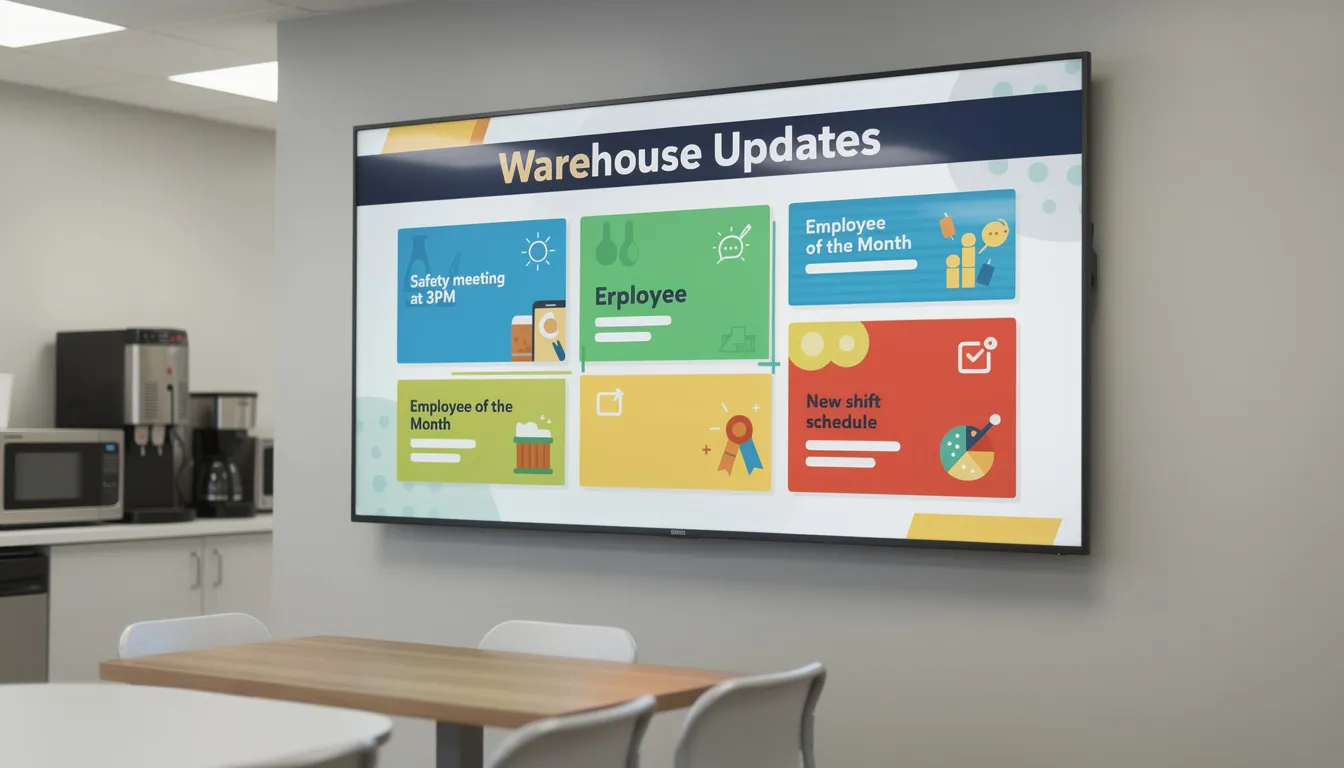
Digital signage and virtual noticeboards bring communication into physical spaces. Break room screens, warehouse display boards, and office lobby monitors can rotate slides showing targeted updates powered by a cloud-based team communication platform:
- Weekly KPIs and team performance metrics
- Employee recognition shout-outs
- Safety metrics and reminders
- Upcoming events, deadlines, and training sessions
These tools are especially effective for reaching a large group of employees quickly and consistently. Clear internal communication through digital signage also helps improve customer satisfaction by ensuring employees are well-informed and able to deliver better service.
Multichannel Communication Plans
Consider a 2026 facilities upgrade affecting multiple shifts. The communication plan might include:
|
Channel |
Content/Action |
|---|---|
|
|
Full details and FAQs to all employees |
|
SMS |
Impacted shifts receive dates and specific instructions |
|
Digital Signage |
Visual timeline in affected areas |
|
Printed Notices |
QR codes linking to mobile-friendly updates |
Tailored multichannel delivery ensures no single communication method dominates—and no employee gets left out.
Use Short-Form and Micro-Content Updates
Long-form announcements have their place, but they shouldn’t be the only format. Repurpose major messages into micro-updates suitable for different channels:
- Intranet cards with a headline, two-sentence summary, and “Read more” link
- Pinned Slack messages distilling a policy change into three bullet points
- Mobile push notifications with a single action (“Review your benefits selections by Friday”)
- A “TL;DR” section at the top of every major email: three bullets summarizing what changed, what employees need to do, and when
Send micro-reminders 24–48 hours before important dates. If performance reviews are due March 15, 2026, a push notification on March 13 (“Performance reviews due in 2 days—submit here”) catches people who missed the original announcement.
Example: 2026 performance-review season gets communicated through:
- Initial email announcement in late February with full timeline and instructions
- Slack reminder one week before reviews are due
- Push notification 48 hours before the deadline
- Digital signage in common areas showing a countdown
Consistent messaging across channels reinforces urgency without overwhelming any single inbox.
Next, let’s explore how live experiences and real-time events can build trust and engagement.
Use Live Experiences: Town Halls, Virtual Events, and Focus Groups
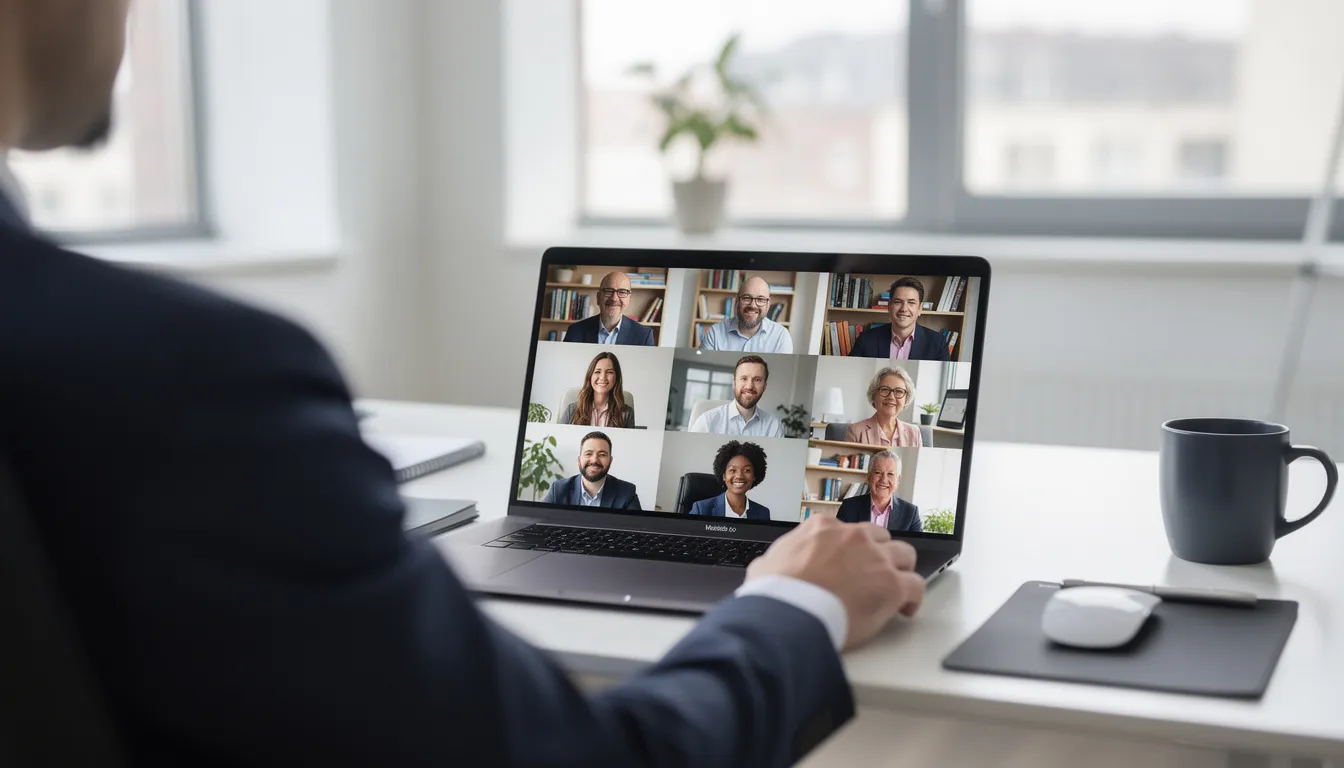
Synchronous communication—live sessions where employees participate in real time—remains critical for building trust. During change (reorganizations, new strategy cycles, leadership transitions), people need to see faces, hear tone, and ask questions they couldn’t anticipate from a memo.
Quarterly digital town halls work when they’re interactive, not slide-heavy webinars. Build in live Q&A where employees can submit questions via chat. Use real-time polls to gauge sentiment (“How confident are you in our 2026 roadmap? Very / Somewhat / Not at all”). Allow anonymous question submissions so people feel safe raising concerns they might not voice publicly. These practices foster open communication and help build trust by encouraging employees to share feedback and participate in transparent dialogue.
Vary the format to keep engagement high:
- Panel discussions featuring cross-functional employees, not just executives
- “Ask the CEO Anything” segments with unscripted questions
- Spotlight interviews with project leads explaining what their teams are building and why it matters
Virtual events serve culture-building, not just information delivery. Online trivia games, themed coffee chats (paired across departments or locations), and global celebrations tied to dates like International Women’s Day or World Mental Health Day create connection. These initiatives enhance the overall employee experience by boosting satisfaction, engagement, and a sense of belonging. These aren’t frivolous—employee morale and a sense of belonging directly affect retention and productivity.
Virtual focus groups offer a more intimate format for digging into survey results or testing initiatives. When you need qualitative feedback—on hybrid-work schedules, benefits changes, or a pilot program—a focus group of 8–10 employees provides richer insight than another survey.
Design Effective Virtual Focus Groups
Preparation makes focus groups productive:
- Send a short pulse survey one to two weeks before to identify themes and surface initial reactions
- Select a diverse mix of 8–10 employees across roles, locations, tenure, and perspectives
- Share a brief agenda ahead of time so participants know what to expect
Facilitation should actively engage quieter participants:
- Use digital whiteboards for a brainstorming session where everyone contributes simultaneously
- Create breakout rooms for smaller discussions, then reconvene to share insights
- Monitor the chat for written contributions from those who don’t speak up verbally
- Ask direct questions by name when appropriate (“Priya, what’s your take on this?”)
Example topic: evaluating a 2025 pilot of a 9/80 work schedule. Guiding questions might include:
- “What worked well about the 9/80 schedule during the pilot?”
- “What challenges did you or your team experience?”
- “If we rolled this out company-wide, what would need to change?”
- “How did this schedule affect your work environment and personal time?”
Follow-up closes the loop and builds trust:
- Share a summary of themes within 10 business days
- Clearly state what will change based on feedback and what won’t (with reasoning)
- Thank participants and explain how their input shaped decisions
After building engagement through live experiences, it’s crucial to keep communication two-way and empower employees as contributors.
Make Communication Two-Way: Feedback, Storytelling, and Peer Voices
Creative communication isn’t only about visual appeal—it’s about making messages participatory. When employees feel valued, they engage. When they feel like passive recipients of corporate edicts, they tune out.
Establishing Feedback Mechanisms
Establish multiple feedback mechanisms so employees can contribute in ways that suit them:
- Anonymous quarterly employee surveys (short, focused, actionable)
- Ongoing suggestion forms accessible via intranet or mobile app
- Confidential one-on-ones with managers or HR
- Periodic open forums where leadership answers tough questions directly
Timing matters. Run a biannual engagement survey every April and October, then host feedback sessions within two weeks of receiving results. Rapid response signals that input actually matters.
Closing the Feedback Loop
Closing the loop is where many organizations fail. If you ask for feedback and nothing visibly changes, employees learn that participation is pointless. Use “You asked, we answered” sections in newsletters. When a suggestion leads to policy change, say so explicitly: “Based on your feedback from the October survey, we’ve extended parental leave from 12 to 16 weeks, effective January 2026.”
Employee Storytelling Formats
Employee storytelling turns communication into a shared narrative rather than a top-down broadcast. First-person blog posts, short internal podcasts, or recorded “day in the life” videos from different departments let peer voices carry messages. Empowering employees to manage and direct their own communications fosters trust and engagement, making internal messaging more authentic and impactful. When one employee explains how they navigated a customer escalation or led a cross-functional project, it resonates more than a memo from leadership ever could.
Turn Employees Into Storytellers and Ambassadors
Create a recurring “Employee Stories” series with monthly features:
- A team member sharing how they solved a tricky customer problem
- Someone explaining a career change they made within the company
- A project lead walking through lessons learned from a major initiative
Format options:
- Three to four minute video clips work for visual, action-oriented stories
- 800 to 1,000 word articles suit reflective or detailed narratives
- Short audio snippets can be embedded into newsletters or played on intranet homepages
Diversity matters—feature voices across locations, job levels, and tenure. A corporate headquarters perspective shouldn’t dominate when half your workforce is in regional offices or frontline roles.
Concrete example: A new employee who joined in early 2026 shares their onboarding experience and tips for future joiners, published just before the next hiring wave. The story addresses common new-hire anxieties, highlights helpful resources, and introduces them to other employees who might otherwise never cross paths. This kind of content turns new employees into brand ambassadors before they’ve even finished their first quarter.
Once you’ve established two-way communication, you can make information even more memorable and engaging through gamification and creative campaigns.
Make It Fun and Memorable: Gamification and Creative Campaigns
Playful, challenge-based communication makes information stick—especially for training processes and change initiatives. When employees actively engage with content rather than passively reading it, retention improves and resistance decreases.
Internal “campaigns” around big topics create momentum. Many organizations use the same strategy as marketing campaigns to build excitement and engagement internally:
- A four-week cybersecurity awareness campaign every October with a name, visual theme, and weekly challenges
- A wellness month each January featuring daily tips, team competitions, and leader participation
- A product knowledge blitz before a major launch, with quizzes and prizes for top performers
Countdowns, progress trackers, and team-based challenges encourage participation. If compliance training is due by March 31, show a real-time dashboard of completion rates by department. Frame it as a friendly competition: “Operations is at 78%—can Sales catch up?”
Simple internal communications gamification mechanisms work better than complex point systems:
- Points for reading and acknowledging key policies (tracked automatically)
- Digital badges for completing internal learning milestones
- Raffle entries tied to survey participation or event attendance
Mini-Case Study: Cross-Channel Campaign for Expense Management Tool Rollout (Q2 2026)
|
Week |
Channel/Action |
|---|---|
|
Week 1 |
Email teaser: “Something new is coming” with countdown; Slack channel for questions; digital signage with campaign branding |
|
Week 2 |
Video tutorial emailed to all employees; live demo during town hall; printed quick-reference cards in break rooms with QR codes to full documentation |
|
Week 3 |
Daily Slack tip highlighting one feature; quiz with five questions about the new tool; leaderboard showing departments with highest quiz completion |
|
Week 4 |
Feedback survey; “You asked, we answered” email addressing top concerns; recognition for early adopters |
This approach turns a mundane tool rollout into an event, building familiarity and reducing resistance.
Use Quizzes, Challenges, and Micro-Games
Practical quiz formats boost engagement and retention:
- Five-question multiple-choice quizzes at the end of training emails, with instant results
- Instant Slack polls to check understanding of a new policy (“True or False: The updated PTO policy allows rollover of up to 5 days”)
- Scenario-based questions that present a situation and ask employees to choose the right response
Game ideas that work in professional contexts:
- “Two Truths and a Lie” about company history, new products, or team members
- “Guess the metric” challenges based on real 2025 performance data (e.g., “How many customer support tickets did we resolve last quarter?”)
- Scavenger hunts through the intranet to find specific policies or resources, with prizes for first completers
Tie games to learning goals. When launching a new service line in Q3 2026, run a weekly micro-quiz on product features. Each correct answer enters employees into a drawing for a small reward—and ensures the whole company understands what they’re selling.
Emphasize voluntary participation and light rewards (shout-outs, digital badges, small gift cards) rather than mandates. Gamification should feel fun, not coercive.

After making communication fun and memorable, it’s important to measure your efforts and keep the human element at the center of your strategy.
Measure, Iterate, and Keep Communication Human
Creative communication must be measured like any other workplace communication strategy. Engagement, comprehension, and behavior change matter more than vanity metrics like open rates alone.
Key metrics to track:
- Open and click rates for emails and newsletters
- Attendance and active participation at live sessions (questions asked, polls answered)
- Survey completion rates
- Questions submitted through feedback channels
- Intranet search terms (revealing what employees can’t find)
- Qualitative comments and sentiment analysis
Use data to iterate. If your weekly update email shows a 40% drop in engagement when sent Friday afternoons compared to Tuesday mornings, move it. If pulse surveys reveal that employees feel confused about a recent policy despite three communications, the message needs reworking—not repeating.
Example: In Q4 2025, a company noticed that their monthly all-hands had declining attendance and minimal Q&A participation. They shortened the format from 90 minutes to 45, added anonymous question submission, and included a live poll at the start asking what topics employees wanted covered. Attendance recovered within two months, and questions per session tripled.
Throughout all of this, authenticity and empathy remain non-negotiable. Creative tools should support honest conversations, not obscure difficult messages behind slick design. When communicating hard news—layoffs, strategy shifts, missed targets—employees can tell when leaders are hiding behind jargon or animations. Communicate effectively by being direct, acknowledging difficulty, and leaving space for two way communication. Developing strong communication skills among employees also supports better engagement, trust, and overall organizational success.
The organizations that thrive through 2026 and beyond will treat internal communication as an ongoing conversation, not a broadcast. They’ll use user behavior data to refine approaches, lean into emerging corporate communication trends for 2026, actively engage employees as contributors rather than recipients, and build a productive work environment where people feel informed, heard, and connected.
Here’s a quick recap of creative methods covered:
- Interactive emails with polls, reactions, and personalized content that improve communication and reduce noise
- SMS and digital signage for reaching frontline and deskless employees who lack desktop access
- Live experiences—town halls, virtual events, and focus groups—that build trust through open dialogue and psychological safety
- Employee storytelling that turns team members into brand ambassadors and makes communication feel human
- Gamification and campaigns that drive engagement, support training, and make information memorable
- Measurement frameworks focused on outcomes, not vanity metrics, enabling continuous improvement
Start small. Audit your channels this month. Pilot one interactive format in your next major announcement. Establish a feedback loop with a clear follow-up timeline. The most effective communication isn’t the flashiest—it’s the kind that makes every employee feel like they’re on the same page, informed, and genuinely part of a successful business.