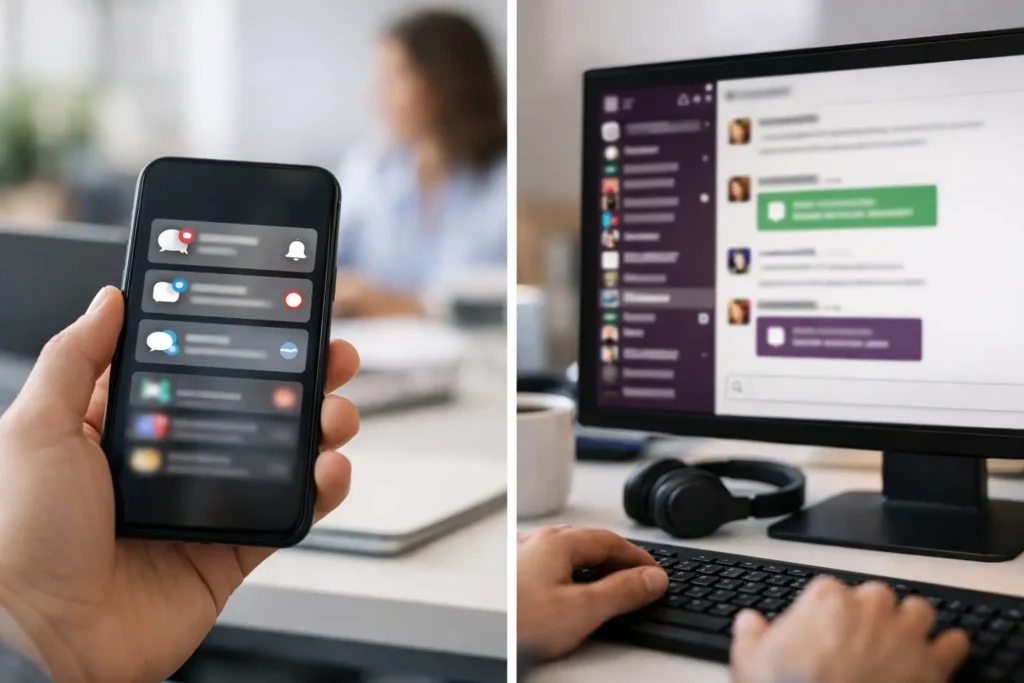
If your big sale starts at 9 a.m. and half the company misses the message because it got buried in chat, you do not have a communication problem in theory. You have a reach problem. That is exactly why the question of push notifications vs Slack matters for internal communications teams, HR leaders, operations managers, and IT admins trying to get the right message seen at the right time.
Both channels have value. Both can move information quickly. But they solve different problems, and treating them as interchangeable usually creates noise, missed updates, and low accountability. The practical question is not which tool is better in the abstract. It is which channel gives you the level of visibility, control, and action you need for a specific message.
Push notifications vs Slack: the real difference
Slack-style chat is built for conversation. It is useful when people need to ask questions, react in real time, share files, and work through details together. It shines inside active teams where back-and-forth is part of getting work done.
Push notifications serve a different purpose. They are built for interruption with intent. A push notification is not asking employees to monitor a channel and keep up with a thread. It is designed to put a message directly in front of them, especially when the update is time-sensitive or too important to be left to chance.
That distinction matters more than most teams admit. Chat channels assume attention. Push notifications create attention.
For internal communicators, that changes the job from posting information to delivering it. If the goal is company alignment, not just message publication, the channel choice has operational consequences.
Where Slack works well
Slack is strong when communication needs to stay fluid. Team coordination, project check-ins, quick approvals, informal updates, and issue resolution all fit naturally in chat. When a sales manager needs feedback from regional leads or an HR team is refining open enrollment details, a conversational space makes sense.
It also works well when the audience is already active in the platform. A product team that lives in chat all day will likely see project-related updates quickly. In that environment, chat reduces friction because the work and the communication happen in the same place.
But chat has a cost. Messages compete with every other message. Even important announcements can disappear under replies, side conversations, emoji reactions, and unrelated team traffic. For routine collaboration, that trade-off is acceptable. For critical communication, it is often the exact reason messages get missed.
Where push notifications work better
Push notifications are better when visibility matters more than discussion. Think schedule changes, safety notices, leadership updates, office closures, target celebrations, benefit deadlines, event reminders, or a new policy that everyone must see.
These are not messages you want employees to discover eventually. You want immediate reach.
This is where a managed desktop communication channel has a clear advantage. When messages appear on login screens, wallpapers, screensavers, or as instant desktop alerts, employees see them in the natural flow of the workday. They do not need to open a chat app, follow the right channel, or scroll back through a thread.
For organizations with multiple departments, locations, and shift patterns, that direct visibility is a major operational benefit. It gives communicators a way to reach people consistently without relying on inbox behavior or chat habits.
Push notifications vs Slack for message priority
The simplest way to choose between push notifications vs Slack is to ask one question: if this message is missed, what happens?
If the answer is “not much,” chat is usually fine. If the answer is “confusion, delay, missed compliance, lower turnout, or inconsistent execution,” the message deserves a stronger channel.
That is why many organizations run into trouble when they use chat for everything. A casual update and a must-read announcement end up in the same environment, competing for the same attention. Over time, employees learn that every channel feels equally urgent, which means nothing really stands out.
Push notifications help restore hierarchy. They create a visible line between collaborative chatter and high-priority communication. That is good for employees, because expectations become clearer. It is good for managers, because fewer people can claim they simply never saw the message.
Reach is not the same as posting
A lot of internal communication tools make it easy to send. That does not mean they are good at ensuring people actually see what was sent.
This is one of the biggest blind spots in workplace communication. Leaders assume a message was communicated because it was posted somewhere. In reality, the employee experience may be very different. They were in meetings. They were on another screen. They muted a channel. They came online later. They were focused on a task and ignored a flood of notifications.
For communications leaders, that gap between sending and seeing is where trust breaks down. Teams say, “We announced it.” Employees say, “Nobody told me.” Both can feel right.
A more controlled notification system reduces that ambiguity. It gives organizations a predictable channel for high-importance updates and a better way to measure whether communication was actually consumed.
Governance and consistency matter more at scale
A ten-person team can get away with informal communication habits. A company with multiple offices, remote staff, frontline support teams, and departmental silos cannot.
At scale, governance matters. Who can send what? Which messages go company-wide? Which are team-specific? How do you keep branding, tone, and timing consistent? How do you prevent channel sprawl?
Chat platforms tend to decentralize communication. That can be useful for collaboration, but it often weakens message control. Important updates may be reposted inconsistently by managers, rewritten informally, or shared too late. Different teams receive different versions of the same message.
A centrally managed push notification channel gives internal communications and operations teams more control over publication and targeting. That does not make communication rigid. It makes it reliable. You can still segment by department, role, or location, but the message remains governed from one place.
That is especially useful when communicators need a simple workflow. Create the content, assign the audience, publish it, and know it appears where employees will actually see it.
The employee experience is different too
It is easy to evaluate channels from the sender’s point of view. It is smarter to evaluate them from the employee’s day.
Most employees already have enough chat, enough email, and enough tabs. Adding more dependency on chat for every company announcement often increases fatigue rather than clarity. People stop distinguishing between useful conversation and organizational noise.
Push notifications can reduce that burden when they are used selectively. A well-timed desktop notification or screen-based message does not ask employees to hunt for information. It brings the information to them. That feels simpler, especially for workers who are not living inside collaboration tools all day.
It also creates a more inclusive communication model. Not every employee engages with workplace chat in the same way. Some teams are highly active. Others are not. A desktop-based channel reaches more consistently across roles and work styles.
So which one should you use?
Use chat for collaboration. Use push notifications for clarity, urgency, and reach.
That may sound obvious, but many organizations still blur those lines. The result is predictable: important messages get treated like conversation, and employees are expected to self-sort what matters most.
A better model is channel purpose. Let chat handle discussion, questions, and team flow. Let push notifications handle must-see updates, organization-wide announcements, deadline reminders, culture moments, KPI visibility, and leadership communication that needs broad, fast exposure.
For many companies, the strongest approach is not choosing one over the other. It is assigning each one a job. That is where a platform like ConnectedCompany fits naturally – as a managed communication layer for the messages that should not be left to chat traffic.
When your communication strategy reflects how people actually work, things get simpler. Employees know where to collaborate, where to look for critical updates, and what deserves immediate attention. Managers spend less time repeating themselves. Communicators gain more control without creating more effort.
The best channel is the one that matches the consequence of being missed. If a message truly matters, make sure it shows up where work is already happening – right in front of your people.