
Choosing the right employee communications platform is a mission-critical decision for HR leaders, IT managers, operations leaders, and anyone responsible for organizational alignment and workforce engagement in 2026 and beyond. In today’s fast-evolving workplace, where hybrid, remote, and frontline teams must stay connected, the platform you select will directly impact productivity, employee engagement, and your organization’s ability to adapt to change.
This comprehensive guide is designed specifically for decision-makers who want to ensure their internal communication strategy drives real business results. We’ll cover:
- What an employee communications platform is and why it matters in 2026
- A clear definition of the right platform and its essential features
- Key use cases and communication challenges modern organizations face
- A detailed buyer’s checklist to help you evaluate vendors
- Best practices for implementation and an actionable rollout roadmap
- How to measure success and ensure long-term value
By the end, you’ll have a clear roadmap for selecting, deploying, and maximizing the impact of your employee communications software—ensuring your teams are informed, engaged, and aligned at every level.
Overview: What Is an Employee Communications Platform (and Why It Matters in 2026)
An employee communications platform is a cloud-based system that centralizes internal communication across chat, voice, video, announcements, and knowledge sharing into a single workspace. As a type of internal communication software, it enables seamless team communication by connecting your entire workforce—whether they’re at headquarters, working remotely, or on the frontline without a corporate email address.
The right employee communication platform combines real-time messaging and file sharing with a searchable knowledge base and engagement features. This means your teams can collaborate instantly, access important documents, and find answers quickly—all within one unified environment. Strong internal communication requires a single workspace that brings knowledge sharing, file access, and real-time chat together, eliminating the need to juggle multiple disconnected tools.
By 2026, over 60% of US workers operate in hybrid or remote models, and traditional methods like email memos or scattered Slack channels can’t keep pace. In these environments, consistent communication is crucial for maintaining clarity and alignment across teams. Organizations using fragmented internal communication tools report annual disengagement losses exceeding $4 million, largely due to missed updates, slow feedback loops, and siloed information.
Employee communication platforms serve as a single source of truth for company updates, connecting remote, deskless, and in-office teams in real-time. This centralized approach ensures that everyone receives timely, accurate information—no matter where or how they work.
Here’s what a modern employee communications platform should deliver:
- Centralized information access: Announcements, policies, and decisions in one place
- Unified communication channels: Real-time chat, video, voice, and structured messaging in a single app
- Frontline-first access: Mobile support, multi-language, and push notifications for non-desk workers
- Two-way engagement: Feedback, polls, and peer-to-peer collaboration—not just top-down messaging
- Boost engagement: Streamlined messaging and interaction to enhance team alignment
- Workflow integration: Connects with HR, project management, and productivity tools
- Actionable insights: Tracks open rates, engagement, and participation trends
Benefits of Employee Communications Software
Implementing employee communications software brings a host of advantages that go far beyond simply exchanging messages. By leveraging robust internal communication tools, organizations can foster stronger employee engagement and create a culture of open, transparent employee communication. A dedicated platform streamlines the flow of information, ensuring that updates, company news, and critical announcements reach every corner of the business—whether employees are in the office, remote, or on the frontline.
These communication tools help break down departmental silos, making it easier for teams to collaborate, share knowledge, and align on goals. Solutions like cloud-based team communication platforms that deliver targeted messages across workplace screens can further boost visibility for critical updates and campaigns. Improved internal communication leads to fewer misunderstandings, faster decision-making, and a more agile response to business challenges. As a result, organizations see increased productivity, higher morale, and a more connected workforce. Ultimately, investing in the right employee communications software empowers your teams to work smarter, stay informed, and contribute to a positive, high-performing work environment.
What an Employee Communications Platform Should Solve
The goal isn’t to add another tool to your stack—it’s to remove friction from how your teams communicate, collaborate, and stay aligned. Before evaluating features, get clear on the problems you’re actually trying to fix.
Most mid-market organizations (200–5,000 employees) struggle with a consistent set of pain points. Message overload buries critical updates under routine chatter. Decisions get lost across email threads, Slack channels, and SharePoint folders with no single source of truth. Frontline employees miss time-sensitive updates because they don’t have desktop access or corporate email.
The consequences are real: production delays because shift handoffs weren’t communicated, customer escalations because the sales team didn’t know about a policy change, or safety incidents because compliance updates never reached the floor—situations where full-screen toast notifications for urgent internal alerts can ensure critical messages are seen immediately.
Here are the core problems your platform should explicitly solve, many of which can be addressed with well-planned internal communication campaigns that are tailored to different audiences and channels:
- Fragmented tools forcing employees to check multiple apps daily
- Critical announcements lost in noisy channels or email inboxes
- Slow or nonexistent feedback from frontline teams to leadership
- Knowledge silos preventing cross-department collaboration
- Lack of consistent communication across regions, shifts, and time zones
Key Communication Challenges in Modern Organizations
Understanding your organization’s specific challenges helps you evaluate platforms against real scenarios—not just feature lists. Here are the most common friction points we see in modern organizations.
Cross-Department Communication Gaps
Updates move slowly from corporate functions (HR, Operations, Marketing) to frontline teams (stores, drivers, call centers). A policy change announced at headquarters might take days or weeks to reach every location, if it arrives at all.
Consider a retail chain with 150+ locations. When a promotion launches, store managers need pricing details, talking points, and visual assets immediately. But if those updates live in an email that regional managers forget to forward, stores operate with outdated information—and customers notice.
Knowledge Silos and Scattered Information
Information sprawls across email, Slack, Microsoft Teams, SharePoint, Google Drive, and local folders. There’s no system of record, so employees waste time hunting for the latest version of a document or re-asking questions that were already answered somewhere, despite emerging future-of-corporate-communication trends for 2026 that emphasize integrated, personalized, and visual messaging.
Centralized knowledge sharing and searchable conversation history are essential features of effective employee communication software. This is especially painful for new hires. Without a centralized hub for company policies, procedures, and tribal knowledge, onboarding takes longer and mistakes happen more frequently.
Hybrid Work and Time Zone Coordination
Balancing real time communication with structured, asynchronous updates is harder than ever. Teams spanning multiple time zones can’t rely on live meetings alone, but chat threads move too fast for anyone to catch up.
A plant manager in Ohio and a CX lead in Manila need shared visibility into the same decisions—without one team always being left out of the loop. Employee communications platforms must support both remote and on-site employees to ensure everyone stays informed and connected, preventing information silos regardless of work location.
Frontline Disconnect
Non-desk employees—retail associates, warehouse supervisors, delivery drivers—often lack reliable mobile access to the same communication tools their office counterparts use. They’re the last to hear about changes and the first to deal with confused customers.
Essential Features of a Modern Employee Communications Platform
When evaluating platforms, focus on capabilities that directly impact team alignment and execution. The best platforms don’t just offer features—they connect voice, video, messaging, notifications, and knowledge sharing in one consistent experience.
AI is now table stakes in 2026. Platforms should offer summarization, intelligent routing, and automatic surfacing of critical updates to leaders. Security, compliance, and governance are non-negotiables, especially for healthcare, finance, and public sector teams handling sensitive data.
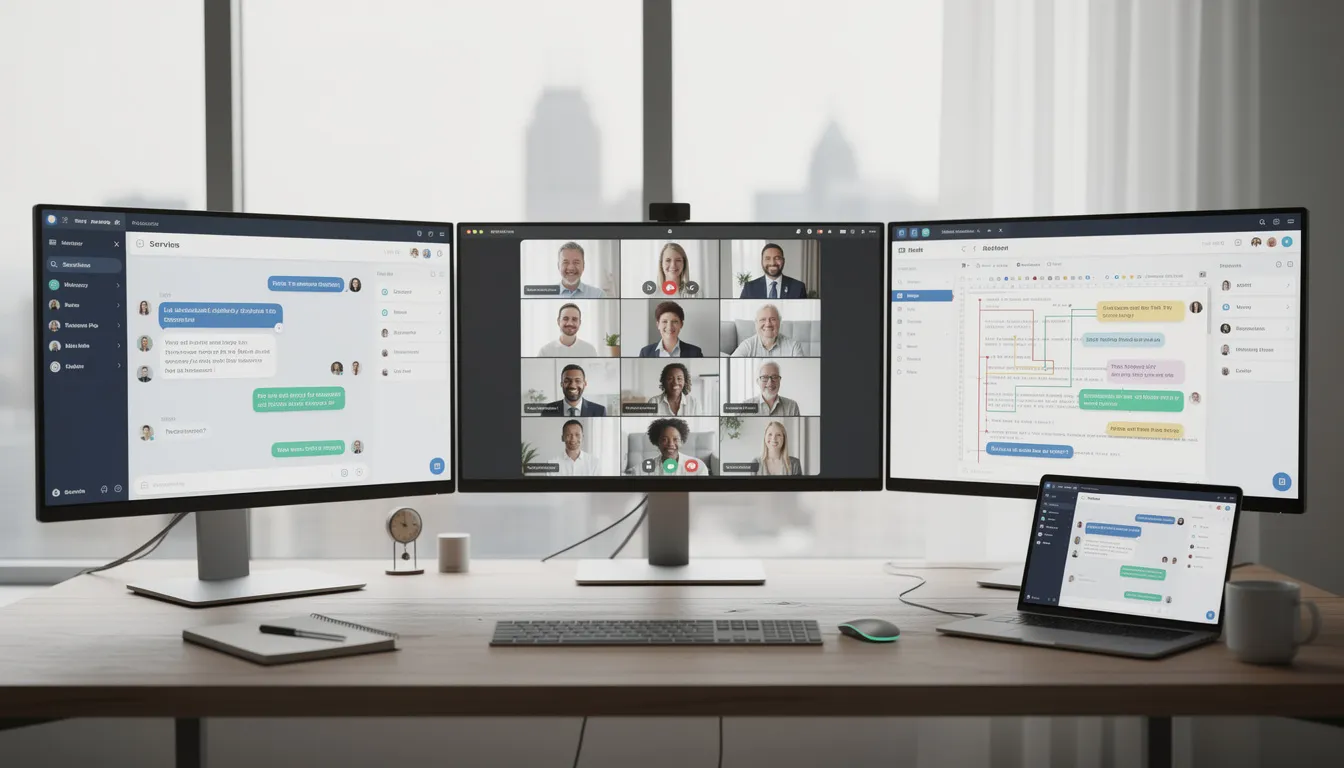
Strong internal communication requires a single workspace that brings knowledge sharing, file access, and real-time chat together.
Unified Communication Channels (Chat, Voice, Video, SMS)
“Unified” means employees can switch between chat, video conferencing, and voice calls without losing context or conversation history. A question that starts in a group chat can escalate to a video call with screen sharing, and the full thread stays connected.
Key capabilities to look for:
- Channel-based messaging organized by project, region, or department
- Integrated SMS and mobile push notifications for urgent alerts
- Voice notes and real-time messaging for quick updates
- Chat threads that maintain context over time
- Integration with existing tools like Microsoft Teams or Google Workspace
AI-Powered Communication and Workflow Automation
AI should be embedded into daily workflows, not bolted on as a separate product. The best platforms use AI to summarize a week of channel activity for managers every Friday, generate follow-up tasks from meetings, and route messages to the right team automatically.
Concrete AI use cases include:
- Meeting summaries with action items extracted and assigned
- Auto-translation for distributed teams
- Intelligent routing for urgent messages or customer-impacting issues
- Leadership digests highlighting key discussions and trends
- Voice AI triggering workflows, notifications, or incident tickets
Transparency matters here. Admins should be able to set retention policies, visibility controls, and audit who accessed AI-generated summaries.
Mobile-First Access for Frontline and Distributed Teams
Your mobile app should mirror desktop capabilities: messaging, voice, video, real time notifications, and content access. Frontline employees shouldn’t get a stripped-down experience just because they’re not at a desk.
Think about the roles that depend on reliable mobile access:
- Warehouse supervisors checking shift schedules and safety updates
- Field technicians receiving job assignments and customer details
- Delivery drivers getting route changes and customer communication
- Call center agents accessing knowledge bases during customer calls
The platform should support offline-friendly features (cached announcements, queued messages) for teams with limited connectivity. Push notifications with read receipts are essential for critical security, safety, or compliance updates.
The UI should be simple enough for non-technical employees to adopt in under one week—no extensive training required.

Security, Governance, and Compliance
Governance matters when you’re managing multiple locations, temp workers, contractors, and regulated data. The platform needs to support your compliance requirements without creating friction for everyday users.
Essential controls include:
|
Control |
Why It Matters |
|---|---|
|
SSO (Single Sign-On) |
Simplifies access, reduces password fatigue |
|
Role-based access |
Limits sensitive channels to appropriate teams |
|
Audit logs |
Tracks who accessed what, when |
|
Data retention policies |
Meets regulatory requirements by channel |
|
Device-level security |
Protects data on mobile devices and shared kiosks |
|
Expect 99.9%+ uptime as a baseline; leading platforms advertise 99.999% availability. Check for certifications relevant to your industry: |
|
|
Certification |
Relevance |
|
————— |
———————————————– |
|
SOC 2 Type II |
Standard for data security controls |
|
ISO 27001 |
International information security management |
|
HIPAA |
Required for healthcare organizations |
|
GDPR |
Required for EU employee data |
Analytics, Insights, and Feedback Loops
Analytics help internal comms leaders, HR, and operations understand engagement and reach. Without data, you’re guessing whether your announcements land or disappear into the void.
Metrics to track:
- Open and read rates by channel, location, and role
- Response times for time-sensitive communications
- Participation rates in surveys, polls, and feedback requests
- Channel activity trends over time
- Engagement gaps (e.g., locations consistently missing updates)
AI can highlight at-risk teams automatically. If a cluster of stores consistently shows low engagement on safety updates, the platform should flag that pattern for regional managers.
Feedback mechanics like pulse surveys, quick polls, emoji reactions, and anonymous suggestion boxes close the loop between leadership and employees, while underused surfaces such as screensavers as internal communication channels can reinforce messages passively throughout the workday.
Example: A regional manager notices three stores in the Southwest region have 40% lower read rates on the new return policy update. She schedules a quick video call with those store managers to identify the issue—turns out the mobile app wasn’t properly configured on their shared devices.
Customization and Flexibility
Every organization has its own unique structure, workflows, and communication needs. That’s why leading employee communications software offers extensive customization and flexibility. You should be able to tailor communication channels—such as group chats, chat threads, and video conferencing rooms—to fit your teams, projects, or departments. Integration with other systems, including Microsoft Teams, Google Workspace, and HR systems, ensures that your platform becomes a seamless part of your existing tech stack.
Customization also extends to branding and user interface, allowing you to create a consistent look and feel that reflects your company culture. Visual elements like custom company screensavers for corporate branding can reinforce identity every time employees see an idle screen. Whether employees are accessing the platform from their desktops or mobile phones, the experience should be intuitive and cohesive. Flexible configuration options mean you can adapt the platform as your organization grows, add new communication channels, and connect with other systems to support evolving business needs. This adaptability ensures your internal communication remains effective and relevant, no matter how your teams or workflows change.
User Experience and Interface
A well-designed user experience is essential for driving adoption and maximizing the impact of your employee communications software. Platforms that prioritize intuitive navigation, clear messaging, and easy access to key features make it simple for employees to stay connected and collaborate effectively. Look for solutions that offer seamless team collaboration tools, such as screen sharing for real-time project discussions, voice notes for quick updates, and video conferencing for face-to-face interactions.
Features like conversation history and searchable archives help employees quickly find past discussions and important information, reducing time spent searching and minimizing errors. Real time notifications ensure that no critical update goes unnoticed, while visual touches such as custom wallpapers and lock screen images across devices can subtly reinforce culture and key messages. Ultimately, a positive user experience not only enhances productivity but also supports a culture of open communication and teamwork across your organization.
Types of Employee Communication Platforms (and Where They Fit)
No single category covers every communication need perfectly. Most organizations combine multiple tools, which is why understanding how different platform types fit together matters.
|
Platform Type |
Strengths |
Limitations |
Common Examples |
|---|---|---|---|
|
Real-time chat apps |
Fast collaboration, team alignment |
Can create noise, harder to find decisions later |
Slack, Google Chat |
|
Intranet/Employee experience hubs |
Centralized knowledge, company news, recognition |
Often low engagement, not mobile-first |
SharePoint, LumApps |
|
Email platforms |
Familiar, good for formal announcements |
Low engagement, buried in inboxes |
Outlook, Gmail |
|
Employee texting tools |
High open rates, reaches frontline |
Limited context, not suited for collaboration |
Specialized SMS platforms |
|
Engagement/Recognition platforms |
Boosts engagement, social recognition |
Doesn’t handle operational communication |
Recognition-focused tools |
|
A dedicated employee communications platform often acts as the “spine” connecting these tools and workflows. It provides the centralized hub where announcements, collaboration, and knowledge sharing converge—while integrating with the other systems your teams already use. |
|
|
|
Practical Use Cases: How Teams Actually Use Employee Communications Platforms
Evaluating platforms based on real scenarios—not just feature lists—helps you understand how they’ll perform in your environment. Here are common use cases that separate useful platforms from shiny-but-unused tools.
Company-Wide Announcements
When leadership needs to send messages to your entire organization—policy updates, strategic shifts, or CEO communications—the platform should support targeted distribution lists, read acknowledgments, and multi-channel delivery (email, push notification, in-app banner).
A healthcare network uses company announcements to distribute quarterly compliance training reminders. The platform tracks which employees have acknowledged the update and automatically escalates to managers when acknowledgments are overdue.
Crisis and Incident Alerts
During emergencies—severe weather, security incidents, system outages—you need instant messaging across mobile phones, SMS, and desktop notifications. Two-way responses let employees confirm safety or report issues.
Example: A logistics company operating in the Midwest uses real time notifications during winter 2026 storms. When a distribution center closes unexpectedly, the platform sends push alerts to affected drivers, reassigns routes, and notifies the customer service team—all within 15 minutes.
Cross-Department Collaboration
Project collaboration across internal teams requires shared channels, file sharing, and video conferencing. The platform keeps conversations organized so decisions don’t get lost in email threads.
A product launch might involve Marketing, Sales, Operations, and Customer Support. A shared channel lets all stakeholders track progress, surface blockers, and align on messaging without scheduling endless meetings.
Frontline Updates
Shift-based and distributed teams need structured messaging that reaches them through mobile devices. Store openings, safety protocols, or promotion details should arrive as push notifications with clear calls to action.
Onboarding and Training
New hire onboarding benefits from centralized access to company policies, team introductions, and training materials. The platform can automate welcome sequences, assign training modules, and connect new employees with their managers.
Customer-Impacting Escalations
When a customer issue requires cross-team coordination, the platform should enable rapid escalation through chat threads, video call escalation, and automatic ticket creation in your helpdesk system.
Buyer’s Checklist: How to Choose the Right Employee Communications Platform
Structured evaluation beats ad-hoc tool selection. Use this checklist to score platforms against your organization’s actual needs—not just vendor demos.
Involve cross-functional input from IT, HR, Operations, and frontline leaders. Each team brings different requirements and will use the platform differently.
Evaluate the differences between free and paid plans. Consider what features are unlocked with a paid plan, such as advanced analytics, integrations, or priority support. Some vendors offer discounts or bundled options that add value for teams choosing a premium subscription.
Check if the platform offers a pro plan or premium tier. Pro plans often include enhanced collaboration tools, advanced security, and additional customization options that can significantly improve team communication.
For enterprise or large organizations, look for vendors that provide a custom price option. Custom pricing allows you to tailor the package to your specific needs and access the full capabilities of the employee communications platform.
Checklist:
1. Does It Unify All Critical Communication Channels?
- Does the platform offer integrated chat, video, voice, SMS/alerts, and email-style updates—or require multiple add-ons?
- Can employees see decisions and conversation history regardless of which channel was used?
- How much does it reduce tool sprawl and tab-switching during a typical workday?
- Are there role-specific channels (store managers, shift leads, regional directors) to avoid noise?
- Does it support group chats, chat features, and structured messaging in a single interface?
2. Can Frontline and Distributed Employees Use It Easily?
- How usable is the mobile app? Does it support offline access and shared/kiosk devices?
- Can you run a pilot with a non-desk workforce segment (3–5 locations) within 30–60 days?
- How quickly can a new hire be onboarded to basic communication flows?
- Does it support multiple languages and localization for global teams?
- Is it truly a mobile first platform, or just a desktop app with a mobile afterthought?
3. Is AI Embedded Into Everyday Workflows (Not Just a Bolt-On)?
- Is AI available directly in calls, chats, and meetings (auto-summaries, action item extraction)?
- Can AI generate weekly or monthly digests of key discussions and trends for leadership?
- Where are AI summaries stored, who can access them, and how is retention configured?
- Can you test AI features on a real meeting recording or channel history before committing?
- Are there AI features for routing, translation, and knowledge discovery?
4. Will It Scale Across Multiple Locations and Departments?
- Does it support multi-location structures, location-based targeting, and time-zone aware scheduling?
- Are there role templates (store associate vs. regional manager) for permissions and channels?
- How does the platform handle growth from a few hundred to several thousand employees engaged?
- Does the vendor roadmap (next 12–24 months) align with your expansion plans?
5. Does It Support Compliance, Governance, and Industry Requirements?
- Involve security and compliance teams early in evaluation
- Does it offer eDiscovery, legal holds, export capabilities, and configurable retention rules by channel?
- Can the vendor provide documentation for certifications, penetration testing cadence, and incident response SLAs?
- Include this as a formal section in any RFP or shortlist comparison
6. Can It Integrate with Existing Systems and Workflows?
- Does it connect with your HRIS (for user provisioning), CRM, task management tools, and productivity suites?
- Is there a public API and pre-built connectors to other platforms like Microsoft Teams, Slack, or Google Calendar?
- Identify 2–3 priority workflows (e.g., automatic alerts from ticketing systems) to test during trial
- Does strong integration reduce duplicate data entry and strengthen the platform as a communications hub?
Measuring the Success of Employee Communications Software
To ensure your investment in employee communications software delivers real value, it’s important to measure its impact on your organization. Start by tracking employee engagement through built-in analytics, monitoring how often employees interact with internal communication channels and participate in company initiatives. Regular surveys and feedback tools can provide deeper insights into how your internal communication strategy is resonating with your workforce.
Key metrics to watch include response rates to announcements, participation in employee recognition programs, and the frequency of collaboration across teams. By analyzing these data points, you can identify strengths and areas for improvement, refine your approach, and demonstrate the link between effective internal communication and business outcomes like productivity, customer satisfaction, and revenue growth. Ongoing measurement ensures your platform continues to support your goals and keeps your employees engaged and informed.
Customer Support and Service
Selecting the right employee communications software isn’t just about features—it’s also about the support and service you’ll receive from your vendor. Reliable customer support is crucial for minimizing downtime and ensuring a smooth experience for your entire organization. Look for vendors that offer multiple support channels, such as phone, email, and live chat, so you can get help whenever you need it.
Comprehensive onboarding and training resources are essential for helping your teams get up to speed quickly and make the most of the platform’s capabilities. Ongoing updates, maintenance, and security patches keep your communication tools stable, secure, and aligned with evolving business needs. By choosing a vendor committed to excellent customer service, you’ll ensure your employee communications software remains a valuable, long-term asset for your organization.
Best Practices for Implementing Employee Communications Software
Rolling out employee communications software is more than just flipping a switch—it’s about embedding new communication habits and workflows that drive real business results. Here are proven best practices to ensure your implementation delivers on its promise of stronger internal communication, higher employee engagement, and seamless team collaboration.
- Define Your Internal Communication Strategy
Start by clarifying your internal communication strategy. Identify which communication channels—such as instant messaging, video call, or file sharing—best support your business goals and the needs of your internal teams. Consider how company announcements, project management updates, and employee recognition will flow across distributed teams and frontline employees. - Choose the Right Platform for Your Needs
Select a platform that offers a robust mix of features, including group chats, chat threads, video messaging, screen sharing, and workflow automation. Ensure it integrates smoothly with tools your teams already use, like Microsoft Teams, Google Workspace, and HR systems, so you can create a centralized hub for all internal communication. - Prioritize Reliable Mobile Access
For organizations with frontline employees or distributed teams, reliable mobile access is non-negotiable. Choose a platform that delivers a full-featured experience on mobile devices, allowing employees to send messages, join video calls, and access company news from anywhere—whether they’re on the shop floor or out in the field. - Promote Consistent Communication Across Teams
Use your platform to establish consistent communication habits. Share company announcements, policy updates, and project milestones through structured messaging and real time notifications. Leverage group chats and chat threads to keep conversations organized and ensure everyone stays aligned. - Foster Employee Engagement and Recognition
Boost engagement by making it easy for employees to recognize each other’s achievements. Use built-in employee recognition and social recognition features to celebrate wins, share feedback, and keep morale high. Video messaging and instant feedback tools can help make recognition more personal and impactful. - Provide Comprehensive Training and Support
Equip your workforce with the knowledge they need to get the most out of your communication tools. Offer onboarding sessions, quick-start guides, and ongoing support resources. Encourage employees to explore features like file sharing, workflow automation, and screen sharing to enhance team collaboration. - Monitor, Measure, and Refine
Use analytics and actionable insights to track adoption, engagement, and the effectiveness of your internal communication strategy. Monitor participation in group chats, response rates to company announcements, and usage of collaboration tools. Use this data to identify gaps and continuously improve your approach. - Integrate with Other Systems for Seamless Workflows
Maximize efficiency by integrating your communications platform with other systems—such as project management tools, HR systems, and workflow automation solutions. This ensures information flows smoothly between platforms, reducing manual work and keeping your entire workforce connected. - Ensure Security and Compliance
Protect your organization by choosing a platform that meets your security and compliance requirements. Look for features like role-based access, data retention policies, and device-level security to safeguard sensitive information across all communication channels. - Commit to Continuous Improvement
Treat your internal communication strategy as a living process. Regularly gather feedback from employees, review analytics, and adapt your approach to meet evolving needs. Stay open to new features and integrations that can further boost engagement and streamline team collaboration.
By following these best practices, you’ll set your organization up for success—ensuring your employee communications software becomes a vital part of your business plan, supports strong internal communication, and keeps your employees engaged and informed at every level.
Implementation Roadmap: Rolling Out an Employee Communications Platform
Even the right platform fails without thoughtful rollout and change management. Plan for a phased approach that builds momentum rather than forcing organization-wide adoption on day one.
Phase 1: Discovery and Pilot (0–60 Days)
- Form a cross-functional steering group (IT, HR, Operations, Comms) with a clear owner
- Define success metrics: engagement rates, adoption speed, feedback quality
- Select a pilot group—ideally a region or department with both desk and frontline employees
- Configure core channels, integrations, and governance policies
- Run training sessions: live webinars, short video walkthroughs, manager toolkits
Phase 2: Phased Rollout (60–180 Days)
- Expand from pilot to additional regions or departments in waves
- Launch first company-wide announcement through the platform
- Run first frontline campaign (e.g., safety update or promotion launch)
- Host first executive Q&A session using video messaging or live video
- Collect feedback through pulse surveys and adjust configuration
Phase 3: Optimization and Expansion (6+ Months)
- Analyze analytics to identify engagement gaps and communication habits
- Expand integrations with other systems (CRM, project collaboration tools, knowledge bases)
- Introduce advanced features: workflow automation, AI digests, distribution lists
- Set a 12–18 month roadmap for scaling with organizational growth

Building a Long-Term Employee Communication Strategy
A modern employee communications platform isn’t a point solution—it’s a strategic layer connecting your entire workforce. The goal is to streamline internal comms, strengthen team alignment, and provide real-time visibility across your entire organization.
When evaluating platforms, map capabilities directly to your 12–24 month business priorities and workforce trends. If you’re expanding into new regions, frontline access and multi-language support matter more. If you’re consolidating tools, integration depth and unified channels take priority.
Before buying, define clear success metrics: employee engagement scores, message reach, resolution times, or impact on turnover. These metrics should tie back to the problems you identified at the start of your evaluation.
Looking ahead, AI and unified communications will continue reshaping internal communication beyond 2026. Platforms that embed AI into everyday workflows—rather than treating it as a bolt-on—will deliver compounding value as your organization grows.
The companies that get strong internal communication right don’t just avoid the $4 million disengagement tax. They build organizations where information flows, decisions land, and employees engaged at every level actually know what’s happening and why it matters.
Start with the business plan: what problems need solving, what outcomes you expect, and how you’ll measure success. Then find the right platform that fits.